Beacons and signals: mark a location and find your way back
Quick answer
Unlock the Beacon with two fragment scans, then build it with the Habitat Builder using 1 Copper and 1 Titanium. Give it a useful label and use the PDA Signals tab to show or hide destinations. Keep a home signal visible for the return trip.
“Subnautica 2 How to Get Beacon Blueprint. How to Make Beacon and How to Make Custom Waypoints.” by Ape Knight Gaming · May 14, 2026 · Early Access launch window (uploaded 2026-05-14); predates the Adaptive Measures and Buddy System updates
A charged Scanner, Habitat Builder and enough oxygen to return from the fragment trip.
For each Beacon, pack 1 Copper and 1 Titanium. Check the blueprint is unlocked before leaving to place one.
1
Scan two Beacon fragments near the Welcome Center
GameWith reports these two stops and requires two Beacon scans. Finish the scans and confirm the blueprint before returning. These are approximate published landmarks; Kingy has not independently recorded the route. Follow the terrain and your oxygen reserve.
Older footage · checked Oct 25, 2026 · before Subnautica 2 Early Access 1.2 (Buddy System, August 19, 2026)
On screen: On a sandy seabed at about 27 m beside wrecked white hull plating, a small grey Beacon fragment lies in front of an open crate; the Scanner's blue outline covers it and a BEACON 1/2 notice appears at the left.
Check the guide’s version notes before following older footage.
“Subnautica 2 How to Get Beacon Blueprint. How to Make Beacon and How to Make Custom Waypoints.” by Ape Knight Gaming · May 14, 2026 · Early Access launch window (uploaded 2026-05-14); predates the Adaptive Measures and Buddy System updates
Use a Beacon for a location you want to revisit. For your base, check for Habitat Beacon under Exterior Facilities. Epic’s base guide illustrates placing it on top of a base section; check the placement preview in your current build. This guide does not promise that every interior or exterior surface accepts it.
Older footage · checked Oct 25, 2026 · before Subnautica 2 Early Access 1.2 (Buddy System, August 19, 2026)
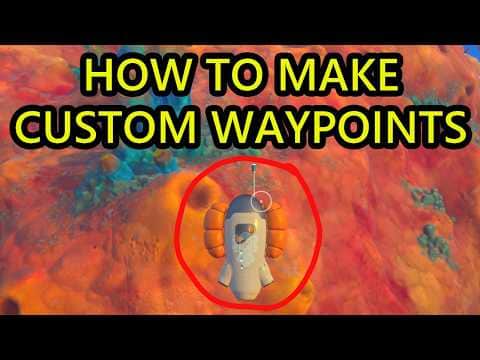
On screen: The builder menu is open on a Utility tab with two entries; a white Beacon outline is then held against an orange coral rock at 16 m, and the finished Beacon stands on the rock with a Set Label prompt.
Check the guide’s version notes before following older footage.
“Subnautica 2 How to Get Beacon Blueprint. How to Make Beacon and How to Make Custom Waypoints.” by Ape Knight Gaming · May 14, 2026 · Early Access launch window (uploaded 2026-05-14); predates the Adaptive Measures and Buddy System updates
On screen: The Habitat Builder menu open on the Utility tab with Beacon selected and its Copper and Titanium cost; then the green placement ghost on a coral wall.
Check the guide’s version notes before following older footage.
“Subnautica 2 How to Get Beacon Blueprint. How to Make Beacon and How to Make Custom Waypoints.” by Ape Knight Gaming · May 14, 2026 · Early Access launch week (uploaded May 14, 2026); predates later Early Access updates
“Subnautica 2 How to Get Beacon Blueprint. How to Make Beacon and How to Make Custom Waypoints.” by Ape Knight Gaming · May 14, 2026 · Early Access launch week (uploaded May 14, 2026); predates later Early Access updates
Kingy’s suggested first check: move a short distance from your new marker, identify it again, and confirm the direction home before continuing. A signal gives you a destination; it does not establish a clear passage or enough oxygen to reach it.
Open the PDA and select Signals.
Older footage · checked Oct 12, 2026 · before Subnautica 2 Early Access 1.2 (Buddy System, October 2026)
“Subnautica 2 How to Get Beacon Blueprint. How to Make Beacon and How to Make Custom Waypoints.” by Ape Knight Gaming · May 14, 2026 · Early Access launch week (uploaded May 14, 2026); predates later Early Access updates
Enable the destination you need and keep the Lifepod or home marker visible. Hide unrelated markers to reduce clutter; enable them again when needed.
For a distant signal whose text is absent, hover over the icon. Buddy System changed distant labels to appear on hover and made icons grow as you approach.
Tracking Tags mark carryable cargo and extend black-box detection when carried during reprinting. Their detection radius increased in Hotfix 1 without a published number. Use the storage guide for that workflow.
The Scanner Station guide covers selecting resource contacts. Its reported scan radius belongs to the station, not every HUD signal. Pathfinder provides a return trail; consult the Biomod loadout guide and your current Biolab rather than assuming an old Welcome Center unlock. July’s update changed Biolab progression.
Check the installed build and the Signals visibility setting first. If the problem persists, record the platform, build, host/client role and reproduction steps for in-game feedback. These notes describe released fixes, not a guarantee for every save.
Reported symptom
Released change
A client renamed a Beacon but the new name did not display
Buddy System fixed this multiplayer naming issue.
Signal text entry lost focus when another player edited it
Adaptive Measures fixed this editing issue.
Wu’s blackbox signal stayed visible after an early pickup
Adaptive Measures fixed the case where collection preceded the NOA prompt.
Hotfix 2 fixes unnamed black-box signals and missing Overgrown Ruins black-box text when loading a save that already unlocked those signals. Check the installed update before following an old missing-label workaround. These fixes do not establish new black-box coordinates or change Beacon scan requirements.
Adaptive Measures update ↗July 8 release date, scan-progress and power-display fixes. Silver updates in Coral Gardens, nearby hint dialogue, misleading Sonic prompts and Silver nook pickup fixes. Storage excluded from nearby crafting and Moonpool size feedback.Official ·
Base construction and power facilities ↗Generator and terminal construction recipes; Modification Station cost. Habitat Beacon cost and reported placement atop a base section.Walkthrough ·
Active and passive Biomod effects ↗Effects and scan pairs. Ranking is not adopted; current slot progression comes from official patch notes.Walkthrough ·
Crafting recipes: sustenance, stations and navigation ↗Corroborates selected meal, water, Fiber and First Aid Kit ingredients; not an exhaustive current-build database. Beacon and Habitat Beacon construction costs and Builder categories. Portable Oxygen Generator materials and Habitat Builder Utility category. Plasteel Ingot at Processor and selected Lithium portions for High Capacity Air Tank and Scout Ray. Silver portions for Standard Air Tank, Wakemaker, Wiring Kit, System Chip, Scanner Station and Silver Ingot. Power Cell table lists 1 Salt, matching Game Checklists and GameWith’s June recipe page.Walkthrough ·
Beacon scans, construction and signal controls ↗Two Beacon scans near the Welcome Center, Builder recipe and Signals label/color controls. Older Pathfinder unlock advice is not adopted.Walkthrough ·
Buddy System Hotfix 2 — October 6, 2026 ↗Official October 6 release notes: voice detection, Tadpole docking and teleporting, power streaming, Scanner Station accuracy, Shiver interaction with unpiloted vehicles, Biobed and rack visuals, black-box signal names, Xbox memory and crash diagnostics. Rollout may take time; no Kingy reproduction or universal save recovery.Official ·
Stuck? Tell us where
Say where you’re stuck in Subnautica 2. You get one hint at a time from a published kingy.wiki guide, and the answer and its clip stay covered until you ask.
If nothing matches, we keep your words (without emails, links or long numbers) to decide which answers to write next. Privacy
 0:46–0:51 · 5 sScanning a Beacon fragment beside a crate