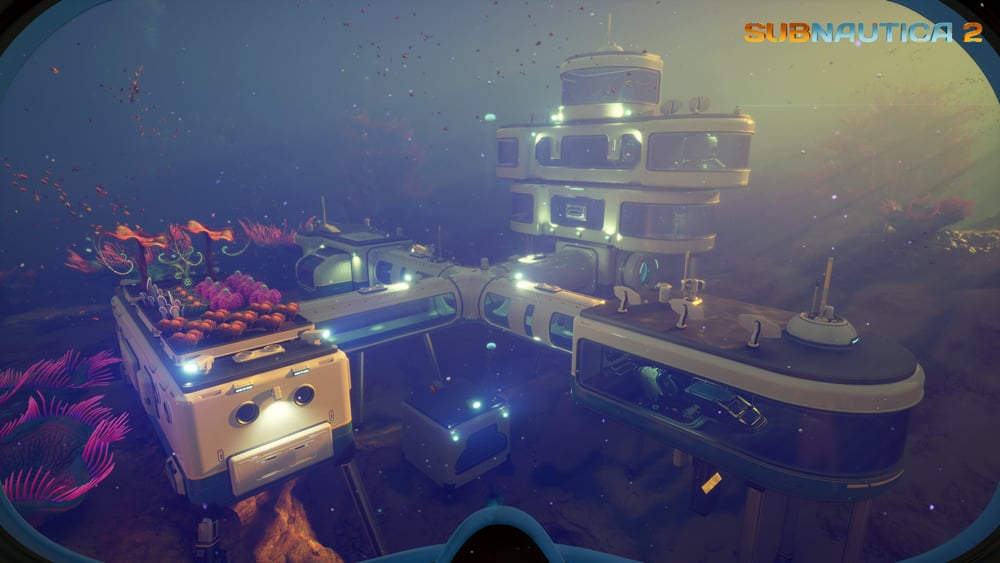
Recharge batteries and Power Cells without rebuilding your tools
Quick answer
Use a Battery Terminal for handheld batteries and a Power Cell Terminal for vehicle cells. Swap charged spares in the field, then recharge the depleted ones at a powered base. A Tadpole can also recharge while docked.
“How To Get Battery Charger Blueprint in Subnautica 2” by Quick Tips · May 14, 2026 · Early Access launch week (uploaded May 14, 2026); predates later Early Access updates
On screen: The diver reaches the sunken habitat about 36 m down, enters through a hatch, and scans a wall-mounted unit labelled Battery Terminal in a pipe-lined corridor before moving on through the tunnel.
Check the guide’s version notes before following older footage.
“How To Get Battery Charger Blueprint in Subnautica 2” by Quick Tips · May 14, 2026 · Early Access launch week (uploaded May 14, 2026); predates later Early Access updates
Search the platform and crate area roughly 260 m east-northeast of the Lifepod, about 60 m deep under a rocky overhang. A Power Cell Terminal scan is reported near the Tadpole and turbine fragments.
At the Tadpole Pens, inspect the left wall in the backroom for another Power Cell Terminal fragment. Follow the Pens access guide if the room is locked.
Scan distinct fragments until the blueprint confirms it is complete. Meanwhile, use a powered Tadpole Dock and spare cells.
Destructoid and Game Checklists both list the Power Cell as 2 Basic Batteries, 1 Strong Acid and 1 Salt, and GameWith’s June recipe page agrees. GameWith’s older May terminal guide says 2 Salt, so carry a spare if you are crafting far from base.
Check charger type, enabled state and base power. Published charger-load figures disagree, so use the HUD with the terminal empty, then with charging items inserted. No fixed charge time is guaranteed here.
If scan progress seems missing, check the build before searching for extra fragments: Adaptive Measures fixed Battery Terminal progress being absent after the first scan.
Wait for a visible charge increase at base.
Check power again while other machines are running.
Load the spare cell and battery into your departure inventory.
Sources · 9Official · Walkthrough · checked 11 Oct 2026 · Research checked 11 Oct 2026
Adaptive Measures update ↗July 8 release date, scan-progress and power-display fixes. Silver updates in Coral Gardens, nearby hint dialogue, misleading Sonic prompts and Silver nook pickup fixes. Storage excluded from nearby crafting and Moonpool size feedback.Official ·
Tadpole upgrades and chassis ↗Independent recipe and function cross-check for depth, efficiency, chassis and charging.Walkthrough ·
Base construction and power facilities ↗Generator and terminal construction recipes; Modification Station cost. Habitat Beacon cost and reported placement atop a base section.Walkthrough ·
Battery and Power Cell terminals ↗Old Habitat scans, swaps and recipes. Exact charging load and duration withheld pending current-build verification. Power Cell table (updated May 26) lists 2 Salt; Destructoid, Game Checklists and GameWith’s own June recipe page list 1, so the page uses 1 and names this older figure.Walkthrough ·
Battery swaps and Old Habitat terminals ↗Cross-check for swaps, two scans, six slots and recipes. Zero-load claim conflicts with GameWith; not adopted.Walkthrough ·
Tadpole Pens utility scans ↗Backroom Power Cell Terminal scan; supplements the early platform option.Walkthrough ·
Crafting recipes: sustenance, stations and navigation ↗Corroborates selected meal, water, Fiber and First Aid Kit ingredients; not an exhaustive current-build database. Beacon and Habitat Beacon construction costs and Builder categories. Portable Oxygen Generator materials and Habitat Builder Utility category. Plasteel Ingot at Processor and selected Lithium portions for High Capacity Air Tank and Scout Ray. Silver portions for Standard Air Tank, Wakemaker, Wiring Kit, System Chip, Scanner Station and Silver Ingot. Power Cell table lists 1 Salt, matching Game Checklists and GameWith’s June recipe page.Walkthrough ·
Say where you’re stuck in Subnautica 2. You get one hint at a time from a published kingy.wiki guide, and the answer and its clip stay covered until you ask.
If nothing matches, we keep your words (without emails, links or long numbers) to decide which answers to write next. Privacy
 0:40–1:26 · 46 sSwimming into the old habitat and scanning a Battery Terminal fragment