Subnautica 2 official cover art

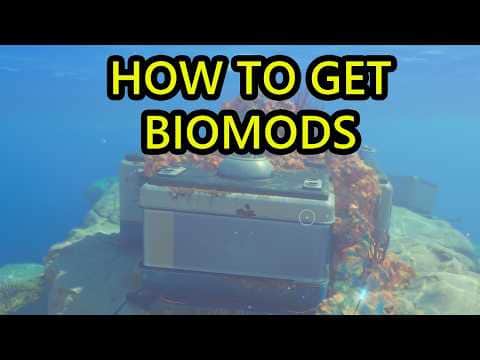
Biolabs: unlock Biomods and more passive slots

Quick answer

Visit a powered Biolab to choose Biomods. Adaptive Measures expanded world Biolab unlocks to six and added passive-slot progression through Bioscans.

How this guide was checked

Coverage: Early Access 1.2 · Buddy System Hotfix 2 (October 6) · official sources checked October 23, 2026 UTC · older routes retain their source/build limits. Research checked 8 Oct 2026. Updated 25 Oct 2026

This guide uses the linked sources and any attributed demonstrations. Platform differences and limitations are noted with the advice they affect.

See the 2 sources
2 sources
Clips from 2 creatorsChecked on screen · 25 Oct 20264 steps2 moments · 0:19
  1. 1:44–1:57Opening the Biolab in the Welcome Center and equipping BiomodsStart at the Welcome Center · Ape Knight Gaming
  2. 0:04–0:10Reading the Biolab's passive slots and Bioscan requirementUnlock more passive slots · eXputer Guides

See it first · Start at the Welcome Center ↓

Older footage · checked Oct 25, 2026 · before Subnautica 2 Early Access 1.2 (Buddy System, August 19, 2026)

1:44–1:57 · 13 sOpening the Biolab in the Welcome Center and equipping Biomods

Check the guide’s version notes before following older footage.

Ape Knight GamingFull video ↗
Credits

“Subnautica 2 How to Power on Welcome Center Welcome Center Battery How to Unlock Biolab and Biomods” by Ape Knight Gaming · May 14, 2026 · Early Access launch window (uploaded 2026-05-14); predates the Adaptive Measures and Buddy System updates

Independent creator · no partnership implied

Creator? Ask us to remove this

Before you start

  • Bring a Basic Battery to the Welcome Center.
  • Recommendations below are based on published guides; Kingy has not independently play-tested this route.
1

Start at the Welcome Center

  1. Enter the Welcome Center southeast of the Lifepod. Power its terminal and start NOA.
  2. Open the Biolab and inspect your unlocked active and passive options. Equip a choice before leaving.

    Older footage · checked Oct 25, 2026 · before Subnautica 2 Early Access 1.2 (Buddy System, August 19, 2026)

    1:44–1:57 · 13 sOpening the Biolab in the Welcome Center and equipping Biomods

    On screen: In a red-lit Welcome Center room the diver uses the lit Biolab machine; its BIO LAB screen shows Dash in the active Biomod slot, then the Passive Biomods tab with Oxygen Control equipped and the other passive slots locked.

    Check the guide’s version notes before following older footage.

    Ape Knight GamingFull video ↗
    Credits

    “Subnautica 2 How to Power on Welcome Center Welcome Center Battery How to Unlock Biolab and Biomods” by Ape Knight Gaming · May 14, 2026 · Early Access launch window (uploaded 2026-05-14); predates the Adaptive Measures and Buddy System updates

    Independent creator · no partnership implied

    Creator? Ask us to remove this

    1:44–1:57Opening the Biolab in the Welcome Center and equipping Biomods
Sources for this section
2

Check the regional labs

The July 8 update added Biolabs in Coral Gardens and Axum Ruins. Revisit these areas as your objectives take you deeper; an old guide showing every initial unlock at the Welcome Center no longer describes the progression reliably.

Six refers to Biomods available through world Biolabs, not the total Biomod catalogue.

Sources for this section
3

Unlock more passive slots

  1. Build the Bioscanner, then scan creatures with it.
  2. Read the Biolab’s total Bioscans and next-slot requirement. Use the number shown by your build; this guide does not substitute an unconfirmed threshold.

    Older footage · checked Oct 25, 2026 · before Subnautica 2 Early Access 1.2 (Buddy System, August 19, 2026)

    0:04–0:10 · 6 sReading the Biolab's passive slots and Bioscan requirement

    On screen: The BIO LAB screen is open on the Passive Biomods tab: one passive slot is filled and the rest read Locked, while an UNKNOWN BIOMOD panel on the right says Bio Scans are required and lists the creatures to Bioscan.

    Check the guide’s version notes before following older footage.

    eXputer GuidesFull video ↗
    Credits

    “How to Unlock Passive Mod Slots in Subnautica 2” by eXputer Guides · May 19, 2026 · Early Access launch window (uploaded 2026-05-19); predates the Adaptive Measures and Buddy System updates

    Independent creator · no partnership implied

    Creator? Ask us to remove this

    0:04–0:10Reading the Biolab's passive slots and Bioscan requirement
  3. After a slot unlock, return to the loadout screen and fill it. Unlocking an option and equipping it are separate checks.
Sources for this section
4

If progress looks wrong

Confirm you used the Bioscanner, completed the scan and met every listed species requirement. Regular Scanner entries do not satisfy Biomod research.

Check your branch and build before comparing screenshots. Creative unlocks all Biomods by default, so it cannot establish a Survival unlock route.

Sources for this section

You’re ready when…

Your checklist

0 of 4 complete · Loading saved progress…

Did this answer your question?

Sources · 2Official · Walkthrough · checked 8 Oct 2026 · Research checked 8 Oct 2026
Adaptive Measures update ↗July 8 release date, scan-progress and power-display fixes. Silver updates in Coral Gardens, nearby hint dialogue, misleading Sonic prompts and Silver nook pickup fixes. Storage excluded from nearby crafting and Moonpool size feedback.Official ·
Biomod scan requirements ↗Launch scan requirements cross-checked against GameWith. Initial Biolab distribution and slot counts are superseded by Adaptive Measures.Walkthrough ·

Stuck? Tell us where

Say where you’re stuck in Subnautica 2. You get one hint at a time from a published kingy.wiki guide, and the answer and its clip stay covered until you ask.

If nothing matches, we keep your words (without emails, links or long numbers) to decide which answers to write next. Privacy