
Bioscanner: Iso wreck route and upgrade recipe
Quick answer
Follow Blackbox – Iso to the Cicada Wreck (EVA Prep). Bring a Repair Tool and scan the Bioscanner fragment inside; craft the upgrade at a Modification Station.
Before you start
From the 73 entrance to the fragment
- Find the wreck entrance marked 73. Inside, repair the damaged door to the right.
- Follow the open rooms. Iso’s black box is on a desk; check the second room’s left side for the Improved Fins scan.
- Descend through the circular floor hatch. Follow the pipe to the red-lit shaft.
- Scan the Bioscanner on the deck below. Repair the nearby door for an exit shortcut.1:20–1:29Spoiler clip
Spoiler clip · Down the red-lit shaft to the Bioscanner on the deck · reveal
Older footage · checked Oct 25, 2026 · before Subnautica 2 Early Access 1.2 (Buddy System, August 19, 2026)
 1:20–1:29 · 9 sDown the red-lit shaft to the Bioscanner on the deck
On screen: Inside a wreck at about 105 m the diver descends a red-lit shaft with pipes along its floor, drops onto a dark deck at 110 to 111 m, and finds a white device with two tanks lying on the floor.
Check the guide’s version notes before following older footage.
Jay DunnaFull video ↗Credits
“Where to Find BIOSCANNER Scanner Upgrade in Subnautica 2” by Jay Dunna · May 19, 2026 · Early Access launch window (uploaded 2026-05-19); predates the Adaptive Measures and Buddy System updates
Independent creator · no partnership implied
Sources for this section
Unlock the crafting station
A Modification Station scan is reported in the wreck’s upper area and at the Alien Ruins Research Station. Confirm its blueprint before returning home.
Spoiler clip · Confirming the Modification Station blueprint at the Alien Ruins · reveal
Older footage · checked Oct 25, 2026 · before Subnautica 2 Early Access 1.2 (Buddy System, August 19, 2026)
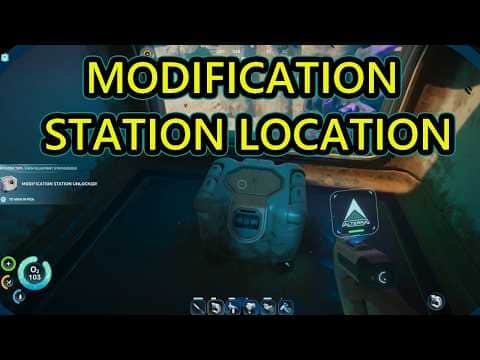 0:48–1:03 · 15 sConfirming the Modification Station blueprint at the Alien Ruins
On screen: The diver swims down a round base corridor at about 139 m, reaches a small room under a window, and scans a boxy device marked Scan Modification Station; a MODIFICATION STATION UNLOCKED notice then appears at the left.
Check the guide’s version notes before following older footage.
Ape Knight GamingFull video ↗Credits
“Subnautica 2 Modification Station Location Guide. How to Get Modification Station Blueprint Unlock” by Ape Knight Gaming · May 17, 2026 · Early Access launch window (uploaded 2026-05-17); predates the Adaptive Measures and Buddy System updates
Independent creator · no partnership implied
| Build | Ingredients |
|---|---|
| Modification Station | 2 Titanium · 2 Celestine · 2 Copper |
Sources for this section
Upgrade your Scanner
Unequip the Scanner so the upgrade can consume it. The starter Fabricator does not perform this upgrade.
Spoiler clip · Selecting the Bioscanner at the Modification Station · reveal
Older footage · checked Oct 25, 2026 · before Subnautica 2 Early Access 1.2 (Buddy System, August 19, 2026)
 3:04–3:19 · 15 sSelecting the Bioscanner at the Modification Station
On screen: Inside a base at about 136 m the diver uses a white MODIFICATION STATION with robotic arms; its menu opens a BIOSCANNER card listing three ingredients, with the station's tool slot beside it.
Check the guide’s version notes before following older footage.
WoW QuestsFull video ↗Credits
“How to craft Bioscanner Tool FULL GUIDE Subnautica 2” by WoW Quests · May 15, 2026 · Early Access launch window (uploaded 2026-05-15); predates the Adaptive Measures and Buddy System updates
Independent creator · no partnership implied
| Output / station | Ingredients |
|---|---|
| Bioscanner / Modification Station | 1 Scanner · 2 Enameled Glass · 3 Conduit Crystal |
Sources for this section
Make the first research trip short
You’re ready when…
Did this answer your question?