
Video board
GTA 6 video answers
Pick the question you have. Each one opens to a short answer and the exact seconds of video that show it.
22 questions · 32 moments · 13 creators · updated Nov 18, 2026
The launch-day moments are creators' own uploads from November 18, 2026, and we checked each one on screen; we have not played or tested the game ourselves. The trailer moments are Rockstar's marketing footage. Nothing here shows a mission or the story. Answers and pictures stay closed until you open them.
Your first hours: menus and systems
How do you save your game in GTA 6?1 moment · Shows objectives
Pause, open Game, then Save, and pick a slot. The save screen in this PlayStation footage counts 15 slots. Read the written guide
The pause menu, then the save screen with its slots. Mr Lawrence · uploaded Nov 18, 2026
Checked on screen · Nov 18, 2026
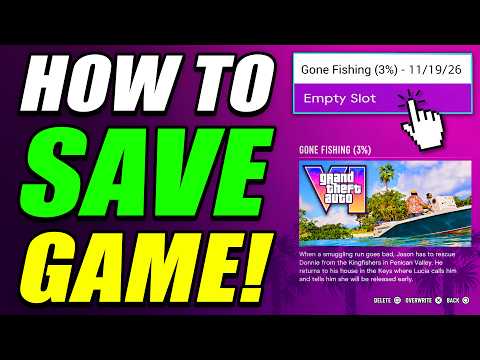 0:08–0:17 · 9 sThe pause menu and the save screen with its slots
Pause, open Game, then Save, and pick a slot.
Mr LawrenceFull video ↗Credits
“How To Save Game in GTA 6” by Mr Lawrence · Nov 18, 2026 · Launch day (uploaded Nov 18, 2026); PlayStation button prompts on screen; game version not shown
Independent creator · no partnership implied
What are the default controls on foot?1 moment · Shows objectives
On the Default scheme in this PlayStation footage: L2 aims, R2 shoots, R1 takes cover, Cross jumps or climbs, Square is melee, Triangle interacts, L3 runs and R3 looks behind. Settings, then Control Scheme, shows it all. Read the written guide
The Control Scheme screen with every on-foot button labelled. How to Everything · uploaded Nov 18, 2026
Checked on screen · Nov 18, 2026
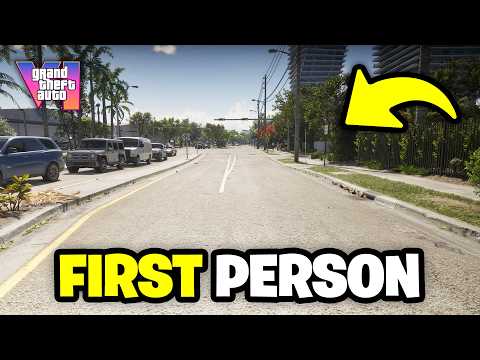 0:21–0:26 · 5 sThe default on-foot controls in Settings
Open Settings, then Control Scheme, to see what each button does on foot.
How to EverythingFull video ↗Credits
“How To ENABLE FIRST PERSON MODE In GTA 6” by How to Everything · Nov 18, 2026 · Launch day (uploaded Nov 18, 2026); PlayStation button prompts on screen; game version not shown
Independent creator · no partnership implied
Where are the aim assist and lock-on settings?1 moment · Shows objectives
In Settings under Gameplay, in the Combat list: Targeting (set to Partial in this footage) and Aim Assist Strength, with Shooting Assist and Drive-By Assist below them. Read the written guide
The Combat options, with the game's own description of Partial targeting. How to Everything · uploaded Nov 18, 2026
Checked on screen · Nov 18, 2026
0:31–0:38 · 7 sTargeting and aim assist options in SettingsOpen Settings, then Gameplay, and change Targeting or Aim Assist Strength under Combat.
How to EverythingFull video ↗Credits
“How To ENABLE FIRST PERSON MODE In GTA 6” by How to Everything · Nov 18, 2026 · Launch day (uploaded Nov 18, 2026); PlayStation button prompts on screen; game version not shown
Independent creator · no partnership implied
How do you turn down motion blur?1 moment · Shows objectives
In Settings under Display, lower the Motion Blur Strength slider in the Visual Effects list. The same tab holds HDR, HDR Calibration and Safe Zone. Read the written guide
The Display tab, with the Motion Blur Strength slider. How to Everything · uploaded Nov 18, 2026
Checked on screen · Nov 18, 2026
0:46–0:50 · 4 sMotion blur and other Display options in SettingsOpen Settings, then Display, and move the Motion Blur Strength slider under Visual Effects.
How to EverythingFull video ↗Credits
“How To ENABLE FIRST PERSON MODE In GTA 6” by How to Everything · Nov 18, 2026 · Launch day (uploaded Nov 18, 2026); PlayStation button prompts on screen; game version not shown
Independent creator · no partnership implied
How do you change clothes?1 moment · Shows objectives
Through the Wardrobe menu, which has tabs for whole Outfits, Tops, Bottoms, Footwear and Accessories, and a Saved Outfits entry. Read the written guide
The Wardrobe menu, tab by tab, as the outfit changes. The Master Miner · uploaded Nov 18, 2026
Checked on screen · Nov 18, 2026
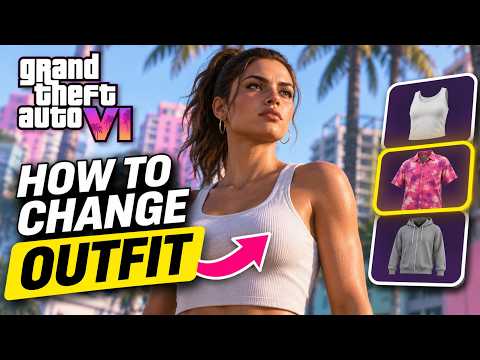 0:09–0:24 · 15 sThe Wardrobe menu and its clothing tabs
Open the Wardrobe menu and pick an outfit or single items from its tabs.
The Master MinerFull video ↗Credits
“How to Change Your Outfit in GTA 6 (Change Clothes)” by The Master Miner · Nov 18, 2026 · Launch day (uploaded Nov 18, 2026); platform and game version not confirmed on screen
Independent creator · no partnership implied
Is there fast travel?1 moment · Shows objectives
The game's own tip says you can call Paradise Taxi from your phone's Contacts for a ride anywhere, then set a destination on the map. Rides cost money; we couldn't read the fares in this footage, so we don't list them. Read the written guide
The taxi tip, the destination map and the insufficient funds message. Grand Theft Math · uploaded Nov 18, 2026
Checked on screen · Nov 18, 2026
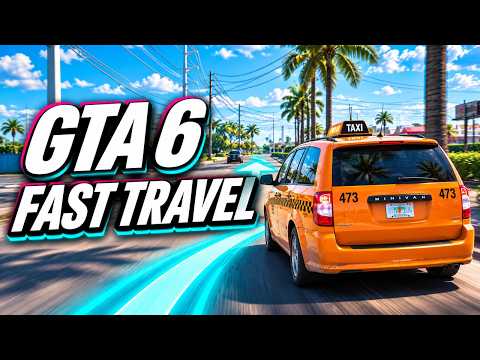 0:10–0:28 · 18 sCalling a Paradise Taxi and setting a destination
Call Paradise Taxi from your phone's Contacts, set a destination on the map and confirm; you need enough money for the fare.
Grand Theft MathFull video ↗Credits
“GTA 6 Fast Travel: Paradise Taxi, Fares & Skip Journey” by Grand Theft Math · Nov 18, 2026 · Launch day (uploaded Nov 18, 2026); platform and game version not confirmed on screen
Independent creator · no partnership implied
How do you stop the cops recognizing you?2 moments · Shows objectives
The game's own tips say cops recognize you faster in areas with heat unless you change your look. Adjust your hat and glasses, change accessories or hairstyle, or buy a store outfit marked as removing outfit heat. Read the written guide
The in-game tips on heat, hats, glasses and hairstyle. Grand Theft Math · uploaded Nov 18, 2026
Checked on screen · Nov 18, 2026
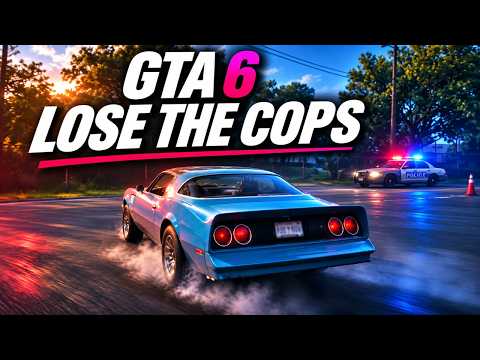 0:29–0:38 · 9 sIn-game tips on heat and being recognized
Change your hat, glasses, accessories or hairstyle to be harder to recognize.
Grand Theft MathFull video ↗Credits
“GTA 6 Wanted System: How to Lose the Cops and Clear Your Heat” by Grand Theft Math · Nov 18, 2026 · Launch day (uploaded Nov 18, 2026); platform and game version not confirmed on screen
Independent creator · no partnership implied
A store outfit marked as removing outfit heat, and the tip on cleared recognition. Grand Theft Math · uploaded Nov 18, 2026
Checked on screen · Nov 18, 2026
0:41–0:46 · 5 sA new outfit that removes outfit heatBuy a different outfit at a clothing store to remove outfit heat.
Grand Theft MathFull video ↗Credits
“GTA 6 Wanted System: How to Lose the Cops and Clear Your Heat” by Grand Theft Math · Nov 18, 2026 · Launch day (uploaded Nov 18, 2026); platform and game version not confirmed on screen
Independent creator · no partnership implied
How do you set a waypoint on the map?1 moment · Shows objectives
Open the map, move the cursor to the spot and press the Set Destination button shown at the bottom right; Add Marker pins a spot. The Personal list also holds a Marker and a Destination entry. Read the written guide
The map's button prompts and the Personal list. Luh Haiti · uploaded Nov 18, 2026
Checked on screen · Nov 18, 2026
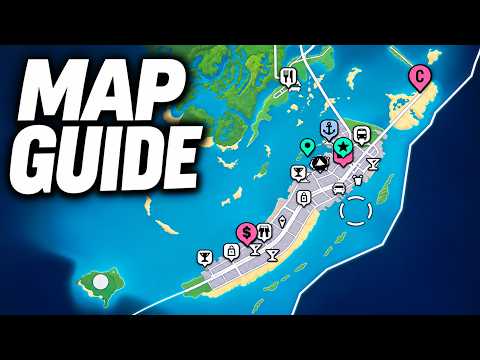 0:28–0:48 · 20 sThe map's marker and destination prompts
Open the map, move the cursor to a spot and use Set Destination, or Add Marker to pin it.
Luh HaitiFull video ↗Credits
“GTA 6 Map Guide: HOW TO OPEN MAP, SET WAYPOINTS, FIND STORES, & MORE! (GTA VI)” by Luh Haiti · Nov 18, 2026 · Launch day (uploaded Nov 18, 2026); PlayStation button prompts on screen; game version not shown
Independent creator · no partnership implied
Where are the camera settings?1 moment · Shows objectives
In Settings under Camera: camera height on foot and in vehicles, follow speeds, Camera Shake, Camera Bob, and how often cinematic kill shots and crash views play. Read the written guide
The Camera tab, from height options down to the Cinematic group. SimDEX · uploaded Nov 18, 2026
Checked on screen · Nov 18, 2026
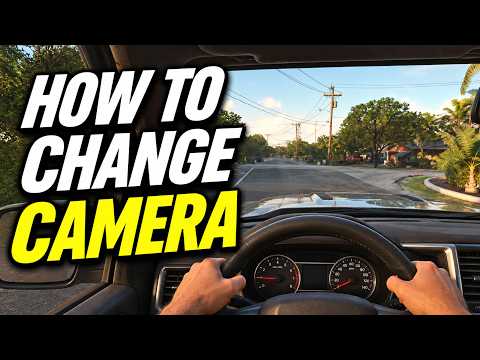 0:52–1:03 · 11 sCamera height, shake and cinematic options in Settings
Open Settings, then Camera, to change camera height, shake, bob and how often cinematic kill shots play.
SimDEXFull video ↗Credits
“HOW TO CHANGE CAMERA VIEW - FIRST PERSON in GTA 6? (ALL CAMERA MODES)” by SimDEX · Nov 18, 2026 · Launch day (uploaded Nov 18, 2026); PlayStation button prompts on screen; game version not shown
Independent creator · no partnership implied
How do you refuel or repair a car?1 moment · Shows objectives
Stop at a gas station pump: prompts offer Refuel and Repair, each with its price. In this footage a refuel cost $39 and a repair was offered at $381 for one pickup; your prices will differ. Read the written guide
The pump's Refuel and Repair prompts, before and after refuelling. LCLoaded · uploaded Nov 18, 2026
Checked on screen · Nov 18, 2026
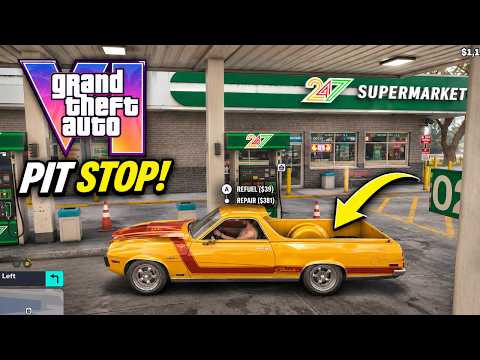 0:56–1:12 · 16 sRefuel and Repair prompts at a gas station pump
Pull up to a gas station pump and choose Refuel or Repair; each shows its price first.
LCLoadedFull video ↗Credits
“GTA 6 – How to Refuel and Repair Your Car (New System)” by LCLoaded · Nov 18, 2026 · Launch day (uploaded Nov 18, 2026); Xbox button prompts on screen; game version not shown
Independent creator · no partnership implied
How do you customize or respray a car?1 moment · Shows objectives
At a mod shop. This one's menu has Pro Builds, Cosmetics, Bodywork, Performance, Wheels and Interior tabs; Respray, liveries and plates are under Cosmetics. Read the written guide
A mod shop's menu, tab by tab. The Breakdown · uploaded Nov 18, 2026
Checked on screen · Nov 18, 2026
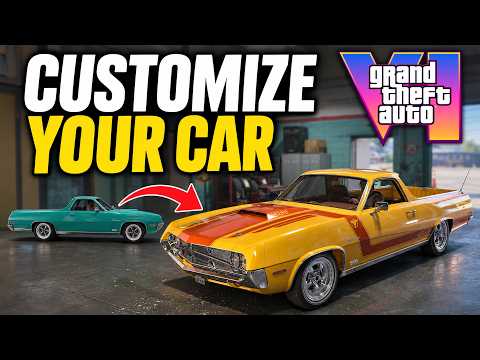 1:08–1:36 · 28 sA mod shop's menu, tab by tab
Drive into a mod shop and pick parts from its tabs; Respray is under Cosmetics.
The BreakdownFull video ↗Credits
“How to Customize Your Car in GTA 6” by The Breakdown · Nov 18, 2026 · Launch day (uploaded Nov 18, 2026); platform and game version not confirmed on screen
Independent creator · no partnership implied
How do you buy guns?1 moment · Shows objectives
At a gun store counter, open the shop menu. This store's menu has Sidearms, Longarms and Ammo & Equipment tabs, with a price and stat bars for each weapon; some are marked Unavailable. Read the written guide
The counter prompt, the shop menu and a pistol's price. Vice City Standard · uploaded Nov 18, 2026
Checked on screen · Nov 18, 2026
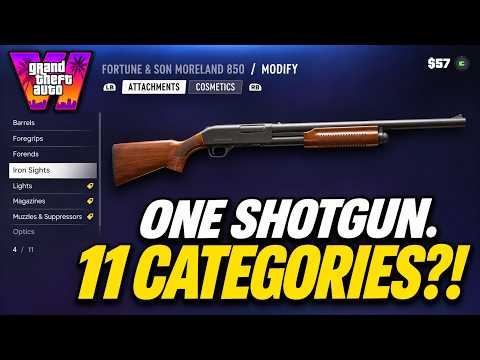 2:01–2:10 · 9 sA gun store's shop menu and a pistol's price
Walk up to a gun store's counter and open the shop menu to browse weapons by type.
Vice City StandardFull video ↗Credits
“GTA 6 - Inside the Gun Store | Weapons, Attachments & Customisation” by Vice City Standard · Nov 18, 2026 · Launch day (uploaded Nov 18, 2026); platform and game version not confirmed on screen
Independent creator · no partnership implied
How do you use the weapon wheel and items wheel?1 moment · Shows objectives
One wheel holds both, with Weapons and Items tabs; this PlayStation footage shows R1 above them. Weapons lists your guns with their stats; Items toggles your hat and glasses. Read the written guide
The wheel's Weapons tab, then its Items tab. Grand Theft Math · uploaded Nov 18, 2026
Checked on screen · Nov 18, 2026
0:14–0:17 · 3 sThe Weapons and Items wheelOpen the wheel, use R1 to switch between Weapons and Items, and pick a weapon or toggle your hat and glasses.
Grand Theft MathFull video ↗Credits
“GTA 6 Wanted System: How to Lose the Cops and Clear Your Heat” by Grand Theft Math · Nov 18, 2026 · Launch day (uploaded Nov 18, 2026); PlayStation button prompts on screen; game version not shown
Independent creator · no partnership implied
How do you change the language or text size?1 moment · Shows objectives
In Settings under UI. This footage shows Language (12 choices), UI Text Size, Color Adjustments and map blip sizes in the Scaling & Readability list. Read the written guide
The UI tab, with text size changed from Medium to Large. JoeyRahmz · uploaded Nov 18, 2026
Checked on screen · Nov 18, 2026
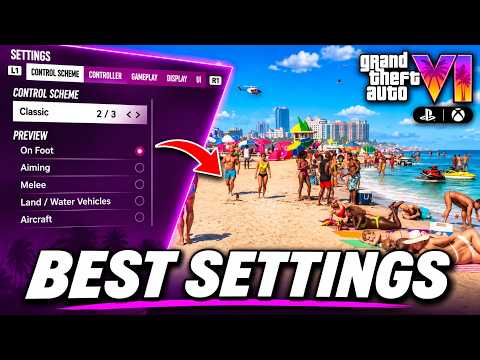 2:46–2:53 · 7 sLanguage, text size and other UI options in Settings
Open Settings, then UI, to change the language, text size, colour adjustments or map blip sizes.
JoeyRahmzFull video ↗Credits
“GTA 6 BEST SETTINGS! ✅ You NEED TO CHANGE Immediately! (PS5 & Xbox)” by JoeyRahmz · Nov 18, 2026 · Launch day (uploaded Nov 18, 2026); PlayStation button prompts on screen; game version not shown
Independent creator · no partnership implied
How do you change the radio station in GTA 6?1 moment · Shows objectives
In a car, a strip of station logos opens across the top of the screen with the station and song below it. This player stepped through stations with L1 and R1 on PlayStation. Read the written guide
The station strip and three stations in a row. AmogusMan · uploaded Nov 18, 2026
Checked on screen · Nov 18, 2026
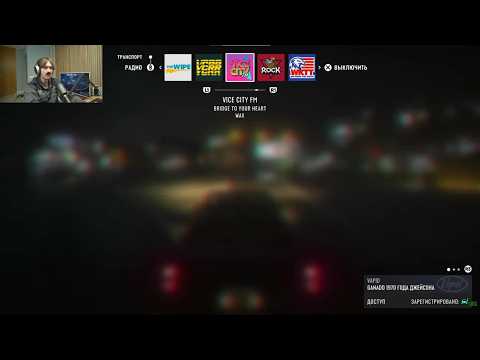 0:06–0:22 · 16 sThe radio station strip while driving
In a car, bring up the station strip and step through stations with L1 and R1 (PlayStation prompts).
AmogusManFull video ↗Credits
“Radio in GTA 6 - first experience” by AmogusMan · Nov 18, 2026 · Launch day (uploaded Nov 18, 2026); PlayStation button prompts (L1, R1) on screen, game set to Russian; game version not shown
Independent creator · no partnership implied
How do you turn on subtitles in GTA 6?1 moment · Shows objectives
Open Settings and go to the UI tab. Under Subtitles & Captions there is a Subtitles row with three choices; this player's was set to Off. Read the written guide
The UI tab and the Subtitles row. Carter2k · uploaded Nov 18, 2026
Checked on screen · Nov 18, 2026
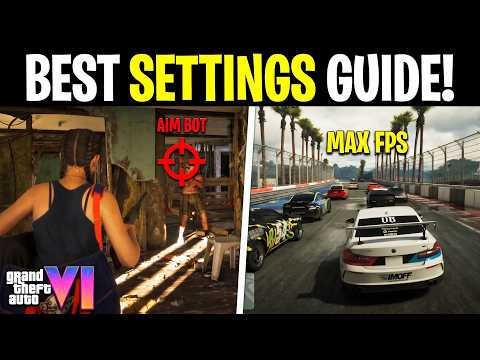 8:33–8:47 · 14 sThe Subtitles row on the Settings UI tab
Open Settings, go to the UI tab and scroll to Subtitles & Captions to change the Subtitles row.
Carter2kFull video ↗Credits
“BEST SETTINGS in GTA 6 That You Must Change! (PS5 & XBOX)” by Carter2k · Nov 18, 2026 · Launch day (uploaded Nov 18, 2026); Xbox button prompts (LB, RB) on the settings tabs; game version not shown
Independent creator · no partnership implied
How do you change the HUD and minimap settings?2 moments · Shows objectives
Settings has a UI tab. Navigation holds Minimap (three choices, including On and Dynamic), Minimap Size, Compass and GPS options; further down are Reticle, Combat and HUD Notifications settings. Read the written guide
The Navigation list with the Minimap choices. Carter2k · uploaded Nov 18, 2026
Checked on screen · Nov 18, 2026
8:49–9:06 · 17 sMinimap, compass and GPS options on the UI tabOpen Settings, go to the UI tab and change Minimap under Navigation; it cycles through three choices, including On and Dynamic.
Carter2kFull video ↗Credits
“BEST SETTINGS in GTA 6 That You Must Change! (PS5 & XBOX)” by Carter2k · Nov 18, 2026 · Launch day (uploaded Nov 18, 2026); Xbox button prompts (LB, RB) on the settings tabs; game version not shown
Independent creator · no partnership implied
Reticle, combat and HUD notification toggles. Carter2k · uploaded Nov 18, 2026
Checked on screen · Nov 18, 2026
10:13–10:49 · 36 sReticle, combat and HUD notification optionsScroll the Settings UI tab to Reticle, Combat and HUD Notifications to switch individual on-screen elements on or off.
Carter2kFull video ↗Credits
“BEST SETTINGS in GTA 6 That You Must Change! (PS5 & XBOX)” by Carter2k · Nov 18, 2026 · Launch day (uploaded Nov 18, 2026); Xbox button prompts (LB, RB) on the settings tabs; game version not shown
Independent creator · no partnership implied
How do you find a mod shop on the map?1 moment · Shows objectives
Open the map and select a shop's pin. A card names the place and says what it is; this one is a mod shop with a Retro specialty. Category icons run down the left edge of the map. Read the written guide
A mod shop's pin and its card on the map. The Breakdown · uploaded Nov 18, 2026
Checked on screen · Nov 18, 2026
0:08–0:20 · 12 sA mod shop's card on the mapOpen the map and select a shop's pin to read its card, which says what kind of shop it is.
The BreakdownFull video ↗Credits
“How to Customize Your Car in GTA 6” by The Breakdown · Nov 18, 2026 · Launch day (uploaded Nov 18, 2026); platform and game version not confirmed on screen
Independent creator · no partnership implied
What the trailers show
What does Vice City look like in the trailers?3 moments · Official trailer footage
Rockstar's trailers show a crowded beach below high-rise towers, a rooftop pool above the skyline, and a neon street at night. Read the written guide
The beach and skyline from the air. Rockstar Games · uploaded Dec 4, 2023
Checked on screen · Oct 14, 2026
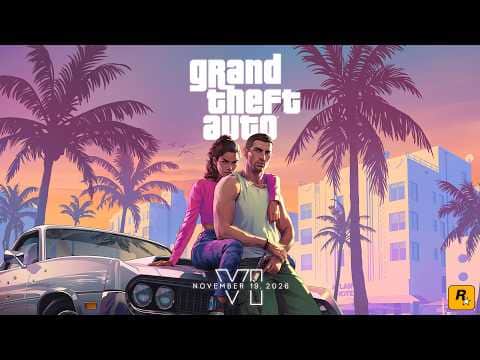 0:13–0:17 · 4 sTrailer 1, 0:13–0:17: an aerial beach below high-rise towers, with the “Rockstar Games presents” title
On screen: An aerial shot over a crowded beach and surf rises toward a skyline of high-rise towers, with the title “Rockstar Games presents” over the city.
Rockstar GamesFull video ↗Credits
“Grand Theft Auto VI Trailer 1” by Rockstar Games · Dec 4, 2023 · Rockstar's official Trailer 1 (Dec 4, 2023); prerelease footage, no tested game build
Rockstar Games · official upload
A rooftop pool, then the giant VICE letters. Rockstar Games · uploaded Dec 4, 2023
Checked on screen · Oct 14, 2026
0:38–0:42 · 4 sTrailer 1, 0:38–0:42: a rooftop pool above the skyline, then giant VICE letters at sunsetOn screen: People gather at a rooftop pool terrace above a high-rise skyline, then giant letters spelling VICE stand on a metal frame against a hazy sunset.
Rockstar GamesFull video ↗Credits
“Grand Theft Auto VI Trailer 1” by Rockstar Games · Dec 4, 2023 · Rockstar's official Trailer 1 (Dec 4, 2023); prerelease footage, no tested game build
Rockstar Games · official upload
The lit causeway at night, then sports cars on a neon street. Rockstar Games · uploaded Dec 4, 2023
Checked on screen · Oct 14, 2026
0:32–0:35 · 3 sTrailer 1, 0:32–0:35: a lit causeway at night, then sports cars on a neon streetOn screen: A night aerial view follows a lit road across dark water toward towers, then sports cars sit parked along a neon-lit street of palms and hotels with people on the pavement.
Rockstar GamesFull video ↗Credits
“Grand Theft Auto VI Trailer 1” by Rockstar Games · Dec 4, 2023 · Rockstar's official Trailer 1 (Dec 4, 2023); prerelease footage, no tested game build
Rockstar Games · official upload
What does the rest of Leonida look like?3 moments · Official trailer footage
The trailers also show misty wetlands, waterfront homes, wooden houses on stilts and night highways. Read the written guide
An airboat in the marsh, and wading birds over wetland. Rockstar Games · uploaded Dec 4, 2023
Checked on screen · Oct 14, 2026
0:20–0:23 · 3 sTrailer 1, 0:20–0:23: an airboat in the marsh, wading birds, then a crowded beachOn screen: An airboat sits in misty marsh grass at sunrise, pink wading birds fly over a shallow wetland, then people walk along a crowded beach lined with umbrellas and towers.
Rockstar GamesFull video ↗Credits
“Grand Theft Auto VI Trailer 1” by Rockstar Games · Dec 4, 2023 · Rockstar's official Trailer 1 (Dec 4, 2023); prerelease footage, no tested game build
Rockstar Games · official upload
Waterfront homes from the air, then a raised wooden house. Rockstar Games · uploaded May 6, 2025
Checked on screen · Oct 13, 2026
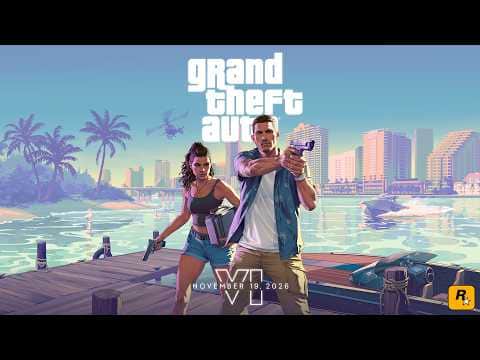 0:07–0:10 · 3 sTrailer 2, 0:07–0:10: an aerial coastline, then a raised wooden house
On screen: An aerial view over waterfront homes, palms, pools and a small boat cuts to a raised wooden house on stilts with a parked car beside it and the fin of a vintage car in the foreground.
Rockstar GamesFull video ↗Credits
“Grand Theft Auto VI Trailer 2” by Rockstar Games · May 6, 2025 · Rockstar's official Trailer 2 (May 6, 2025); prerelease footage, no tested game build
Rockstar Games · official upload
A night highway under green road signs. Rockstar Games · uploaded Dec 4, 2023
Checked on screen · Oct 14, 2026
0:25–0:28 · 3 sTrailer 1, 0:25–0:28: a night highway under signs for Kelly County, VCI Airport and StockyardOn screen: A woman stands up through the open roof of a red car on a night highway under green signs reading “Kelly County - VCI Airport” and “Stockyard / Downtown”, then raises her arms toward lit towers.
Rockstar GamesFull video ↗Credits
“Grand Theft Auto VI Trailer 1” by Rockstar Games · Dec 4, 2023 · Rockstar's official Trailer 1 (Dec 4, 2023); prerelease footage, no tested game build
Rockstar Games · official upload
Do the trailers show police and robberies?4 moments · Official trailer footage
Yes: police cars, a robbery at a store door and a masked holdup. These are trailer shots, not play. Read the written guide
A police car seen from the driver's seat. Rockstar Games · uploaded Dec 4, 2023
Checked on screen · Oct 14, 2026
1:01–1:04 · 3 sTrailer 1, 1:01–1:04: a drive behind a police car past an “It cures emotions!” billboardOn screen: From the driver's seat of an older car, a green-and-white police car drives ahead past a billboard reading “IT CURES EMOTIONS!”; then a man in a patterned scarf drives and a woman in a red bandana holds banknotes in the passenger seat.
Rockstar GamesFull video ↗Credits
“Grand Theft Auto VI Trailer 1” by Rockstar Games · Dec 4, 2023 · Rockstar's official Trailer 1 (Dec 4, 2023); prerelease footage, no tested game build
Rockstar Games · official upload
Police vehicles with their roof lights on. Rockstar Games · uploaded May 6, 2025
Checked on screen · Oct 13, 2026
0:47–0:51 · 4 sTrailer 2, 0:47–0:51: police lights seen from a car, then a fence and watchtowerOn screen: From inside a dark car, police vehicles with lit roof lights sit beside a painted mural; the shot cuts to a razor-wire fence and a watchtower against the sky.
Rockstar GamesFull video ↗Credits
“Grand Theft Auto VI Trailer 2” by Rockstar Games · May 6, 2025 · Rockstar's official Trailer 2 (May 6, 2025); prerelease footage, no tested game build
Rockstar Games · official upload
Two masked robbers at a store entrance. Rockstar Games · uploaded Dec 4, 2023
Checked on screen · Oct 14, 2026
1:17–1:20 · 3 sTrailer 1, 1:17–1:20: two masked robbers raise handguns in a store doorwayOn screen: Two masked robbers, a woman in a red bandana and a man in a grey scarf mask, walk towards a store entrance from a sunny car park; inside the store doorway both raise handguns, then the outline of the “VI” logo glows on black.
Rockstar GamesFull video ↗Credits
“Grand Theft Auto VI Trailer 1” by Rockstar Games · Dec 4, 2023 · Rockstar's official Trailer 1 (Dec 4, 2023); prerelease footage, no tested game build
Rockstar Games · official upload
A masked holdup in an office. Rockstar Games · uploaded May 6, 2025
Checked on screen · Oct 14, 2026
1:15–1:18 · 3 sTrailer 2, 1:15–1:18: a masked holdup in an officeOn screen: In red light, a red-haired woman in a skull mask raises a compact gun, then points it at two men in suits beside office computers; a masked man holds a long gun as he pins a man against a wall.
Rockstar GamesFull video ↗Credits
“Grand Theft Auto VI Trailer 2” by Rockstar Games · May 6, 2025 · Rockstar's official Trailer 2 (May 6, 2025); prerelease footage, no tested game build
Rockstar Games · official upload
Why do the trailers show different release dates?2 moments · Official trailer footage
They show the dates announced at the time: Trailer 1 says 2025 and Trailer 2 says May 26, 2026. Sony's US store now lists November 19, 2026. Read the written guide
Trailer 1's end card. Rockstar Games · uploaded Dec 4, 2023
Checked on screen · Oct 14, 2026
1:22–1:28 · 6 sTrailer 1, 1:22–1:28: the end card, with the “VI” logo and “Coming 2025”On screen: The “VI” letters appear alone on black, then the full Grand Theft Auto VI logo with the line “COMING 2025” beneath it.
Rockstar GamesFull video ↗Credits
“Grand Theft Auto VI Trailer 1” by Rockstar Games · Dec 4, 2023 · Rockstar's official Trailer 1 (Dec 4, 2023); prerelease footage, no tested game build
Rockstar Games · official upload
Trailer 2's end card. Rockstar Games · uploaded May 6, 2025
Checked on screen · Oct 14, 2026
2:38–2:46 · 8 sTrailer 2, 2:38–2:46: the end card, with the logo and “May 26, 2026”On screen: The glowing outline of the “VI” letters fills with a sunset gradient, then the full Grand Theft Auto VI logo appears above the line “MAY 26, 2026”.
Rockstar GamesFull video ↗Credits
“Grand Theft Auto VI Trailer 2” by Rockstar Games · May 6, 2025 · Rockstar's official Trailer 2 (May 6, 2025); prerelease footage, no tested game build
Rockstar Games · official upload