How do you save your game in GTA 6?
Pause, open Game, then Save, and pick a slot. The save screen in this PlayStation footage counts 15 slots.
What to do: Pause, open Game, then Save, and pick a slot.
On screen: The pause menu lists Map, Game, Store, Help, Photo Studio and Settings. The clip then shows a screen headed Game / Save with a list of empty slots, a counter reading 1 / 15, and Save and Back prompts.
Checked on screen · Nov 18, 2026
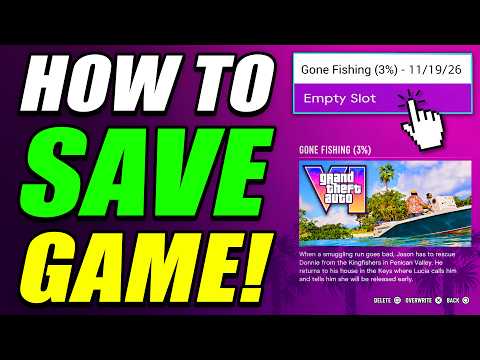 0:08–0:17 · 9 sThe pause menu and the save screen with its slots
Credits
“How To Save Game in GTA 6” by Mr Lawrence · Nov 18, 2026 · Launch day (uploaded Nov 18, 2026); PlayStation button prompts on screen; game version not shown
Independent creator · no partnership implied
Is there fast travel?
The game's own tip says you can call Paradise Taxi from your phone's Contacts for a ride anywhere, then set a destination on the map. Rides cost money; we couldn't read the fares in this footage, so we don't list them.
What to do: Call Paradise Taxi from your phone's Contacts, set a destination on the map and confirm; you need enough money for the fare.
On screen: With the phone out, an in-game tip says you can call Paradise Taxi from your Contacts to get a ride anywhere, such as to your house or vehicle. The map then opens with a Set a destination prompt, and later, beside a taxi, the game says Insufficient funds for the journey, with Change Destination, Confirm and Cancel Trip prompts.
Checked on screen · Nov 18, 2026
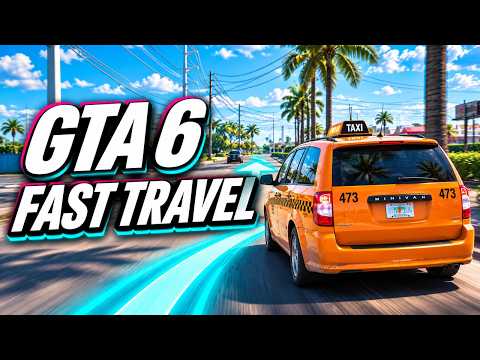 0:10–0:28 · 18 sCalling a Paradise Taxi and setting a destination
Credits
“GTA 6 Fast Travel: Paradise Taxi, Fares & Skip Journey” by Grand Theft Math · Nov 18, 2026 · Launch day (uploaded Nov 18, 2026); platform and game version not confirmed on screen
Independent creator · no partnership implied
How do you set a waypoint on the map?
Open the map, move the cursor to the spot and press the Set Destination button shown at the bottom right; Add Marker pins a spot. The Personal list also holds a Marker and a Destination entry.
What to do: Open the map, move the cursor to a spot and use Set Destination, or Add Marker to pin it.
On screen: The map screen shows button prompts for Recenter, 2D View, Add Marker and Set Destination. A column of category icons runs down the left, and the Personal list includes Jason, Jason's Mailbox, Jason's Vehicle, two named vehicles, Marker and Destination.
Checked on screen · Nov 18, 2026
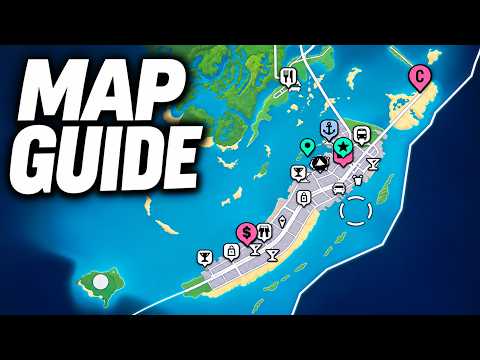 0:28–0:48 · 20 sThe map's marker and destination prompts
Credits
“GTA 6 Map Guide: HOW TO OPEN MAP, SET WAYPOINTS, FIND STORES, & MORE! (GTA VI)” by Luh Haiti · Nov 18, 2026 · Launch day (uploaded Nov 18, 2026); PlayStation button prompts on screen; game version not shown
Independent creator · no partnership implied
How do you change clothes?
Through the Wardrobe menu, which has tabs for whole Outfits, Tops, Bottoms, Footwear and Accessories, and a Saved Outfits entry.
What to do: Open the Wardrobe menu and pick an outfit or single items from its tabs.
On screen: A Wardrobe menu opens beside the character with tabs for Outfits, Tops, Bottoms, Footwear and Accessories. The Outfits tab starts with Saved Outfits and a list of named outfits; Tops lists Hoodies, Sweatshirts, Long Sleeve Tops, Shirts, T-Shirts and Tank Tops; Accessories lists Headwear, Eyewear, Jewelry and Watches, and the character's clothes change.
Checked on screen · Nov 18, 2026
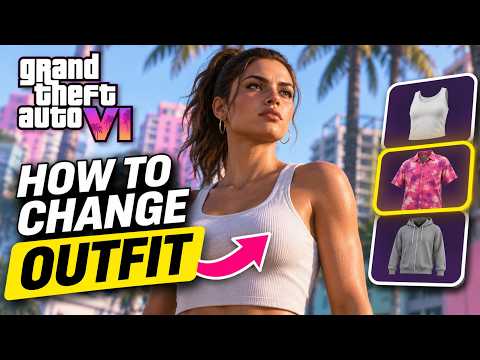 0:09–0:24 · 15 sThe Wardrobe menu and its clothing tabs
Credits
“How to Change Your Outfit in GTA 6 (Change Clothes)” by The Master Miner · Nov 18, 2026 · Launch day (uploaded Nov 18, 2026); platform and game version not confirmed on screen
Independent creator · no partnership implied
How do you buy guns?
At a gun store counter, open the shop menu. This store's menu has Sidearms, Longarms and Ammo & Equipment tabs, with a price and stat bars for each weapon; some are marked Unavailable.
What to do: Walk up to a gun store's counter and open the shop menu to browse weapons by type.
On screen: At a gun store counter a prompt says to press a button to browse the shop menu. The menu, titled Chuck's Tackle & Shot, has tabs for Sidearms, Longarms and Ammo & Equipment; under Pistols, the Scorpio Nipper .38 compact pistol is listed at $550 with Damage, Accuracy, Handling and Range bars and is marked Unavailable.
Checked on screen · Nov 18, 2026
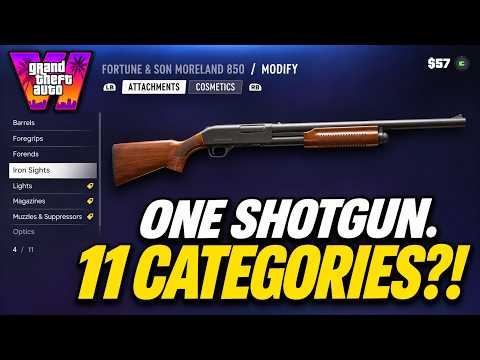 2:01–2:10 · 9 sA gun store's shop menu and a pistol's price
Credits
“GTA 6 - Inside the Gun Store | Weapons, Attachments & Customisation” by Vice City Standard · Nov 18, 2026 · Launch day (uploaded Nov 18, 2026); platform and game version not confirmed on screen
Independent creator · no partnership implied
How do you use the weapon wheel and items wheel?
One wheel holds both, with Weapons and Items tabs; this PlayStation footage shows R1 above them. Weapons lists your guns with their stats; Items toggles your hat and glasses.
What to do: Open the wheel, use R1 to switch between Weapons and Items, and pick a weapon or toggle your hat and glasses.
On screen: A wheel with Weapons and Items tabs opens over the game, with an R1 prompt above the tabs. On the Weapons tab, a selected weapon shows its name, type and Damage, Accuracy, Handling and Range bars, with a Drop prompt. The Items tab shows glasses set to Off, a cap set to On and a clothes hanger.
Checked on screen · Nov 18, 2026
 0:14–0:17 · 3 sThe Weapons and Items wheel
Credits
“GTA 6 Wanted System: How to Lose the Cops and Clear Your Heat” by Grand Theft Math · Nov 18, 2026 · Launch day (uploaded Nov 18, 2026); PlayStation button prompts on screen; game version not shown
Independent creator · no partnership implied
How do you stop the cops recognizing you?
The game's own tips say cops recognize you faster in areas with heat unless you change your look. Adjust your hat and glasses, change accessories or hairstyle, or buy a store outfit marked as removing outfit heat.
What to do: Change your hat, glasses, accessories or hairstyle to be harder to recognize.
On screen: An in-game tip says cops recognize you faster in areas with heat if you haven't changed your appearance and clothing. The items wheel shows a Baseball Cap switched on with the line Adjust your hat and glasses to lower recognition, and a later tip says changing accessories or hairstyle makes you harder to recognize.
Checked on screen · Nov 18, 2026
0:29–0:38 · 9 sIn-game tips on heat and being recognizedCredits
“GTA 6 Wanted System: How to Lose the Cops and Clear Your Heat” by Grand Theft Math · Nov 18, 2026 · Launch day (uploaded Nov 18, 2026); platform and game version not confirmed on screen
Independent creator · no partnership implied
What to do: Buy a different outfit at a clothing store to remove outfit heat.
On screen: In a clothing store's Outfit screen, a $59 outfit carries the note Will remove outfit heat. Outside, an in-game tip says that if recognition is cleared, cops can't ID you.
Checked on screen · Nov 18, 2026
0:41–0:46 · 5 sA new outfit that removes outfit heatCredits
“GTA 6 Wanted System: How to Lose the Cops and Clear Your Heat” by Grand Theft Math · Nov 18, 2026 · Launch day (uploaded Nov 18, 2026); platform and game version not confirmed on screen
Independent creator · no partnership implied