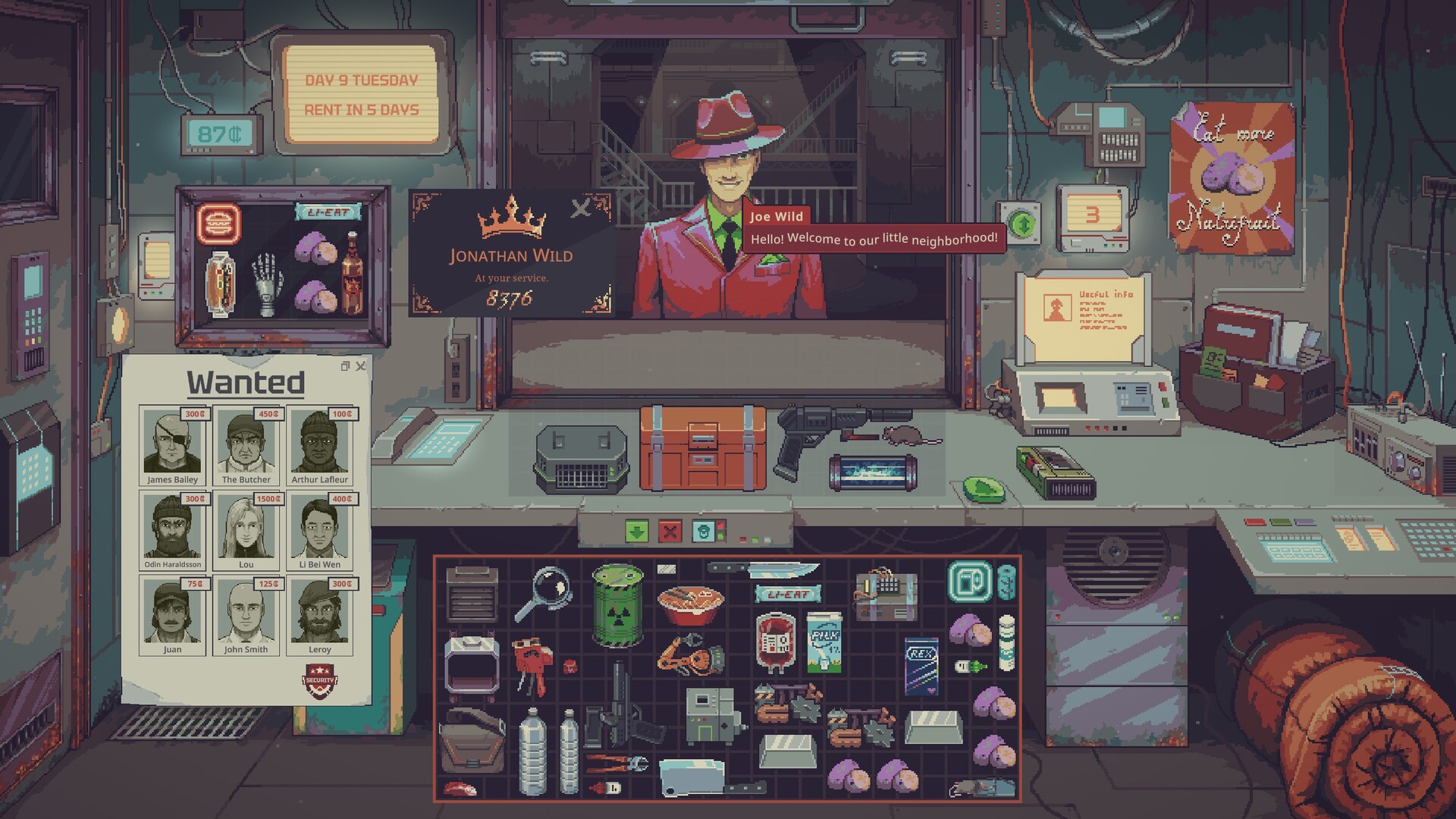
Stock the Display Case before opening and choose goods that match the buyers you need. The launch-game Mentor note says item type influences the buyer and displayed value affects the attracted client’s social class. Neon signs attract sellers. Also check the current customer’s remaining budget: owning expensive stock does not mean that buyer can afford it. Store Attractiveness raises every customer's budget at set scores, 10% at 300 up to 100% at 900.
“How to Make Pure Water in Probably Stolen (Water Guide)” by Recreational Suffering · Oct 31, 2026 · Release footage uploaded October 31, before update 1.0.0.12 changed the stock Water Purifier's maximum; the build number isn't legible in the frames we checked.
Community-reported video. Visually reviewed 21:38–22:08: buyer requests and a finite budget in the negotiation interface. One transaction, not evidence of a universal customer budget or a profit rate.
YouTube connects when you load the player. No autoplay. If playback is unavailable, use the YouTube link.
Start with the customer’s request and the budget shown in the negotiation interface. A buyer can want a category of goods without having enough money for your whole stock. In the recorded trade, the customer states a finite budget and the creator chooses items for that transaction.
If adding another item prevents the sale, try a smaller basket that fits the displayed budget. Do not read one customer’s limit as the value of your entire shop, and do not assume a price increase creates more spending money for that buyer.
The Mentor’s note in the launch stream connects the category of displayed goods with the type of client drawn to the shop. It also says the total value of the displayed items affects that client’s social class. Stock the case before opening so the setup reflects the stock you want to move.
Keep valuable legal examples from the category you want to sell, rather than filling the case with unrelated low-value goods. This is a way to use the documented display rule, not a guaranteed high-budget visitor or an exact value threshold. The note also warns against putting contraband in the case.
“How to Make Pure Water in Probably Stolen (Water Guide)” by Recreational Suffering · Oct 31, 2026 · Release footage uploaded October 31, before update 1.0.0.12 changed the stock Water Purifier's maximum; the build number isn't legible in the frames we checked.
Raise Store Attractiveness for more customers and bigger budgets
The morning Nightly Report shows a Store Attractiveness score from 0 to 1000. Our new Apprentice store sat at the base 250. Its tooltip says the score depends on how recently the Janitor cleaned the storefront, and on certain machines and upgrades.
Hover each face marker on the bar to read what that score unlocks. Budget bonuses apply to all customers, so a buyer's budget depends on this score as well as on who they are. We only read these at 250; we have not reached the higher thresholds.
Separate attracting buyers from attracting sellers
The same tutorial distinguishes merchandise in the case from special items such as neon signs. Displayed merchandise draws buyers for its type; neon signs draw customers offering goods for sale. If you keep receiving stock offers while unsold inventory piles up, check which function your display is serving.
This does not mean every sign should be removed. Use supply signs for goods you need to obtain, and keep a buyer-facing display for goods you need to sell. Make changes according to your stock and cash position instead of buying every offered item.
A player who prompted this guide reported remaining around 1,400–2,000 credits after rent and restocking despite reaching day 100. That is a useful diagnostic problem, but the report does not establish a bug or a universal income ceiling.
Cash is money available now. Sales revenue is what customers paid you. Stock value is tied up in goods that still need buyers. Profit also depends on what those goods and your operating costs consumed. A full storage bay can therefore coexist with a poor cash position.
Compare your cash at the same point in successive rent cycles. Note purchases, completed sales and paid bills separately. Reserve the next known bill before treating a large sale as money available for another upgrade.
Symptom
Useful next check
Many goods, little cash
How much money went back into unsold stock?
Interested buyer stops after one item
Remaining budget and basket total.
Wrong type of customers
Displayed merchandise and clientele preview.
Mostly new supply offers
Which neon signs or other seller-attracting items are active?
The displayed Mentor note says upgrading the case can attract more clients. That supports considering an upgrade when your current display is already supplying the right category but capacity remains limiting. It does not tell you that the upgrade will repay itself in a particular number of days.
If customers cannot afford a single expensive item, address the display and the buyer mix first. If inventory absorbs your bill money, slow purchases before expanding. If the stock category is wrong, change the display before buying production equipment. These are diagnostic recommendations, not measured optimal strategies.
Kingy reviewed the launch footage linked here. The display rules come from the visible in-game note, and the finite budget is visible in a trade. Exact social-class thresholds, lamp stacking, faction bonuses, maximum budgets and daily profit rates are not established by these clips and are not supplied as facts here.
The recording’s precise build, difficulty and mod configuration remain unknown. This is source-based help, with no claim that Curtis or Kingy played or tested the game.
Sources · 5Walkthrough · Reported · Official · checked 9 Nov 2026 · Research checked 9 Nov 2026
Kingy retail test: controls, first trades, menus and day 2 (100-REV13) ↗First-hand Windows / Steam build 26525552 (100-REV13), Apprentice / Mark Up (Normal), no perks, intro on, day 1 to day 2 morning. Key binds, rotation, one purchase and one sale, end-of-day services, Nightly Report attractiveness markers, Calendar and Status read on screen; all 12 specializations, 48 perk tooltips and 4 difficulties read from the New Game menus. Perk effects and other starts not played. AI-operated (computer use) and edited; source timestamps in the evidence JSON.Walkthrough ·
Display-case Mentor note and setup ↗Community-reported video. Visually reviewed 1:02:32–1:03:38: Mentor note on displayed category, total value/social class, stocking before opening, upgrades and contraband warning. Launch stream, exact build/difficulty/mods unknown; no controlled income comparison.Walkthrough ·
The customer budget in a trade ↗Community-reported video. Visually reviewed 21:38–22:08: buyer requests and a finite budget in the negotiation interface. One transaction, not evidence of a universal customer budget or a profit rate.Walkthrough ·
A shop stuck around 2,000 credits ↗Prelaunch report of low buyer budgets and stagnant cash. Used for the diagnostic question, not proof of an income formula.Reported ·
Probably Stolen official Steam artwork and screenshots ↗Publisher-provided promotional images, used for visual context and credited to the game owners. Screenshot build unknown; not proof of guide instructions or Kingy gameplay.Official ·
Stuck? Tell us where
Say where you’re stuck in Probably Stolen. You get one hint at a time from a published kingy.wiki guide, and the answer and its clip stay covered until you ask.
If nothing matches, we keep your words (without emails, links or long numbers) to decide which answers to write next. Privacy
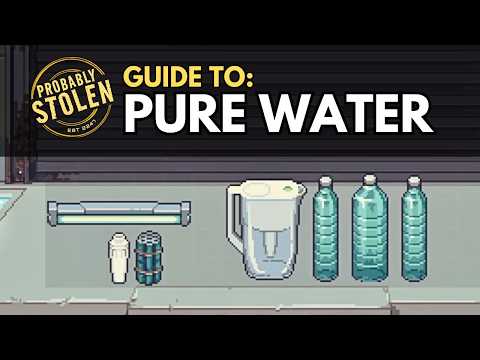 8:49–9:45 · 56 sWater in the display case drawing a Water Stockpiler (creator chapter at 8:41)