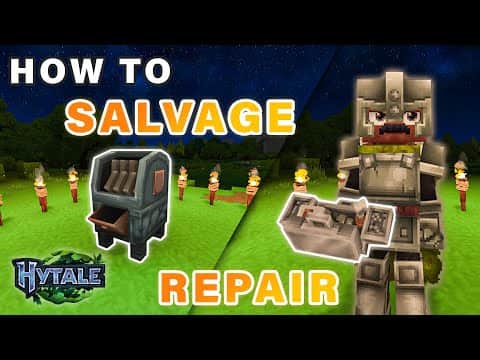
Repair Kits and Goblin Repair Kits: choose the right repair
Quick answer
Chapter I’s Goblin Repair Kit repairs items without reducing maximum durability, according to the October 12 launch notes. For ordinary Repair Kits, the dated walkthrough uses the Workbench and a hotbar item-selection menu. Check the actual kit label and compare current and maximum durability; the Goblin recipe, unlock and consumption are not independently verified.
The January 14 ordinary Repair Kit recipe lists 2 Linen Scraps, 1 Iron Ingot and 1 Light Leather at a Tier 1 or higher Workbench. This is dated reporting, not the Goblin Repair Kit recipe; inspect the current recipe before gathering.
Record the Chapter I client/server build and the exact kit name. Kingy has not reproduced the current recipes, selection flow, kit consumption or repair outcomes.
1
What the Goblin Repair Kit changes
Maximum durability is the item’s capacity; current durability is how much remains. The Goblin kit’s announced benefit concerns that maximum. It does not establish a full refill, unlimited repairs or restoration of maximum durability already lost to an earlier repair.
Backpack targets are supported from Update 5. That update also revised the Crude Repair Kit description; read your actual kit’s warning before spending it.
This is the dated ordinary-kit procedure. Use the Goblin Repair Kit’s displayed instructions on your build; Kingy has not established that it uses the same tab, controls or selection screen.
Find the Repair Kit in the Workbench’s second tab at the upper left, as shown in the launch guide. Match the current recipe and craft one.
Older footage · checked Oct 14, 2026 · before Hytale Update 5: Repair Kit description and Backpack targets revised
On screen: The Workbench crafting window opens on its Tools tab (second tab, top left) with Repair Kit selected; the recipe card lists Linen Scraps, Iron Ingot and Light Leather with have/need counts beside the player's inventory.
Check the guide’s version notes before following older footage.
Put the kit on the hotbar and use it to open item selection. Identify the target by its name and condition; avoid selecting an identical spare by mistake.
Older footage · checked Oct 14, 2026 · before Hytale Update 5: Repair Kit description and Backpack targets revised
On screen: Holding the Repair Kit from the hotbar opens a Repair Items list of tools and weapons (Copper Pickaxe, Crude Hatchet, Crude Shortbow, Scrap Mace and others), each with its durability percentage; the player picks one and the list closes.
Check the guide’s version notes before following older footage.
Read the displayed durability consequences and select the intended item. Then compare its current and maximum durability, the kit count and the action you need it to perform.
Update 5 excludes these from repair. Do not spend more kits trying to force eligibility.
Shortbow will not shoot or crossbow will not reload
Update 5 prevents those actions at zero durability. Check the weapon itself after repairing; do not assume another item was the intended target.
Durability percentage improved, but item wears out quickly
Compare the actual maximum as well as the current value. This guide does not establish a fixed loss formula or remaining repair count.
Eligible equipment still missing or unchanged
Preserve the world and capture target/kit text, inventory location, full client/server builds and mods. An absent target does not establish a particular bug or a reliable reload fix.
This is Kingy’s proposed verification method. No before/after repair has been performed here. A kit missing from the menu does not establish its unlock condition or a reliable workaround.
Before repairing, identify the exact damaged item, inventory location, current durability, maximum durability and count of the selected kit.
Read the kit’s warning and the live interaction prompt. Repair only the intended item.
Inspect that same item and compare both durability values and the kit count. If the maximum falls while using a Goblin Repair Kit, retain the capture, build and mod list for a report.
Sources · 3Official · Walkthrough · checked 12 Oct 2026 · Research checked 12 Oct 2026
Chapter I: Out of the Breach — launch announcement and patch notes ↗October 12 Chapter I release; existing/new Exploration worlds, Forgotten Temple Goblin Lab, Goblin Breach, Goblin Repair Kit, portal UI/commands, Memories and World Events. Minigames follow shortly after launch. Official statements; installed build and platform rollout not independently tested.Official ·
Use Repair Kits ↗Firsthand launch guide: recipe, Workbench tab and selection screen. Exact build unstated; current recipe and durability outcomes have not yet been tested.Walkthrough ·
Stuck? Tell us where
Say where you’re stuck in Hytale. You get one hint at a time from a published kingy.wiki guide, and the answer and its clip stay covered until you ask.
If nothing matches, we keep your words (without emails, links or long numbers) to decide which answers to write next. Privacy
 1:43–1:59 · 16 sUsing the kit opens the Repair Items list