Dressmaker sewing guide: Sewing Assist and missing seams
Quick answer
Check that every cut panel is on the mannequin, then rotate the dress and click any remaining sewing pins. Sewing Assist is under Esc → Gameplay: with it enabled, hold Space to sew. R restarts the current seam. In our prepared Mac example, completing the remaining back piece removed its pin and made Sewing Complete and Finish Dress appear.
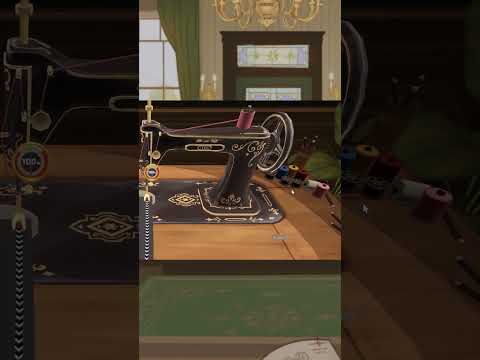
“New update in #dressmaker 🧵 Change threads by clicking on your colour choice” by Cozy Lives · Sep 26, 2026 · Uploaded Sep 26, two days after Build 410 added spool colours; no build number on screen
Tested by Kingy on the Steam release, build 447 (title screen 447.804bb8a, dated October 19, 2026), Windows 11, keyboard and mouse, new save, October 20, 2026. A later patch can change any of this.
Mac sewing checked October 26, 2026, Build 447.804bb8a, keyboard and mouse. The hidden-pin example was prepared by unpicking and replacing panels; no Mac delivery, payment or perfect-quality result was tested.
Both requirements are green, but this dress is still unfinished. The sewing pins remain, and there is no Finish Dress button.
0:13 · Check the panels first
First, check for missing or floating panels. Here I have removed a skirt panel to demonstrate the problem. Place each panel on its matching part of the mannequin.
0:28 · A pin opens the machine
Once a panel is placed, look for its sewing pins. Click a pin to bring the piece to the sewing machine.
0:41 · Read the sewing controls
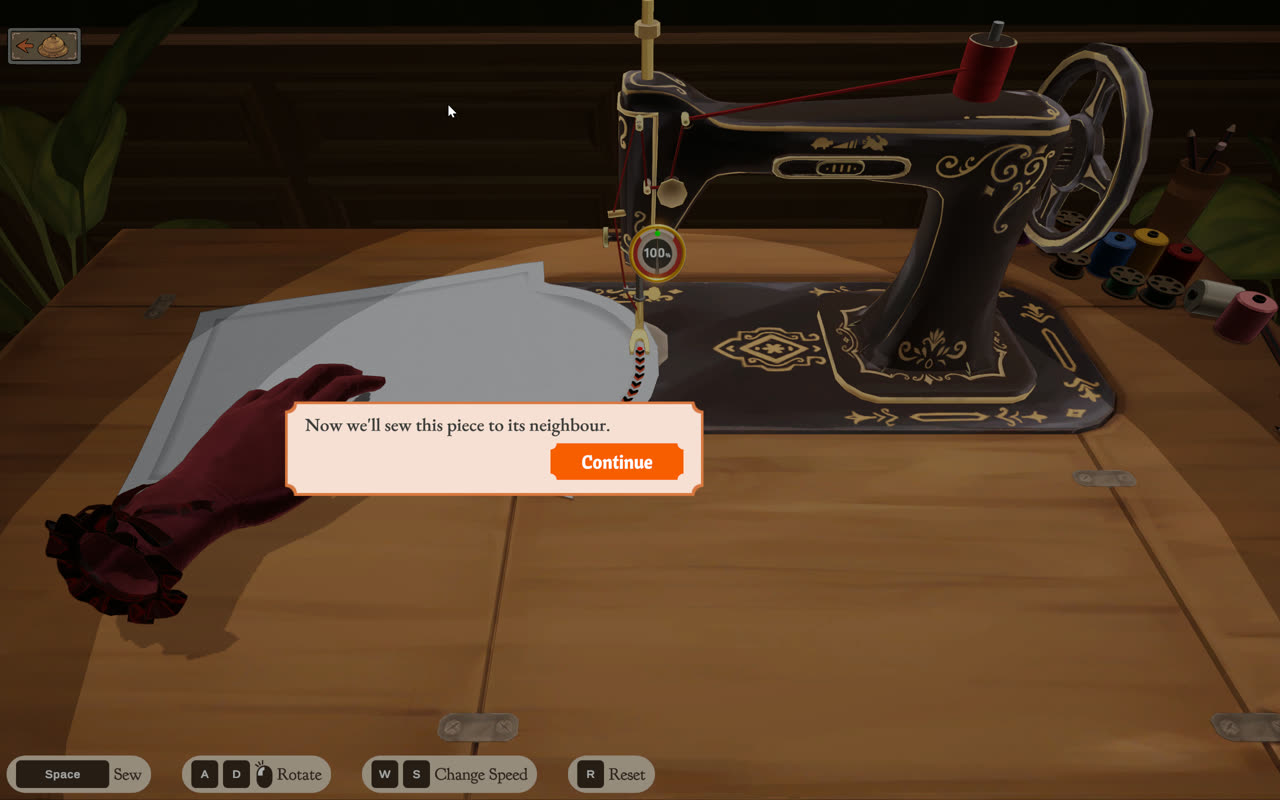
The prompt bar lists the controls. Hold Space to sew. A and D rotate the fabric. W and S change the speed, and R resets the seam.
0:57 · Without Sewing Assist
With Sewing Assist off, holding Space without steering took this seam off its guide line. Watch the accuracy dial fall.
1:11 · Reset a bad seam
Press R to restart this seam. The piece returns to the beginning and the accuracy dial returns to one hundred percent. This is a seam reset, not an undo for the whole dress.
1:25 · Turn on Sewing Assist
Open the Pause Menu with Escape, choose Gameplay, and tick Sewing Assist. Then resume the game.
1:37 · Let the fabric turn
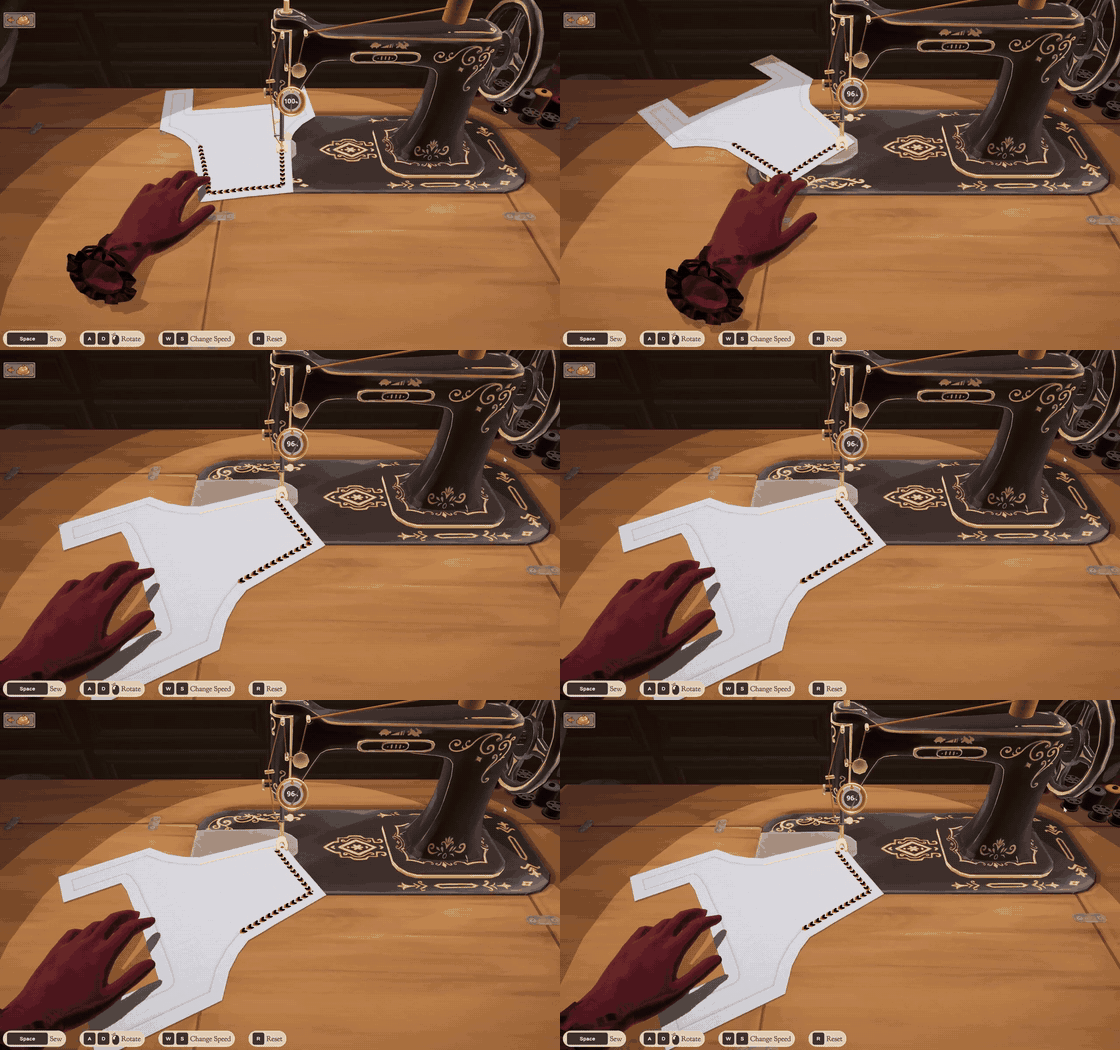
With assist on, holding Space turned this piece around its corners and completed the sewing pass. It does not guarantee perfect accuracy. The dial still fell during this example.
1:54 · Look behind the mannequin
If Finish Dress is still missing, rotate the mannequin. At this zoom level, A and D turn the dress. The front looks clear, but a sewing pin is still hiding at the back.
2:12 · Sew the remaining piece
Click the remaining back pin and sew that piece. Now the pin disappears, Sewing Complete appears, and Finish Dress becomes available. Those green requirement checks did not replace this final sewing step.
2:33 · Finish Dress opens the photo view
Finish Dress opens the photo view. After taking the photo, the preview offers Complete Commission or Keep working. Keep working returned us to the mannequin; this recording does not show delivery or payment.
2:52 · Check panels. Find pins. Sew.
This was tested on Mac, build four forty seven. The written guide keeps the test limits and the earlier Windows findings.
The video shows a prepared unfinished-dress example, sewing controls, a seam reset, Sewing Assist, a hidden back pin and the photo-preview choices. These are real captures from the installed Mac game, Build 447.804bb8a, recorded October 26, 2026. Selected shots are slowed and result frames are held; pauses and other sewing passes are cut.
Mac check: green requirements do not mean sewing is complete
The saved Rose Librarian Workwear dress showed green Quality and Professional checks while sewing pins remained and Finish Dress was absent. In the final prepared example, the front looked clear but rotating the mannequin revealed a back pin. Clicking it opened the piece at the sewing machine. After sewing it, the pin disappeared and the Sewing Complete panel and Finish Dress button appeared. This confirms an unfinished sewing state; it does not establish that every missing-button report has the same cause.
For a controlled demonstration we used the seam ripper to remove and replace panels. An unpicked panel appeared as a flat piece in front of the dress. After putting the tool away, dragging the piece onto its matching part of the mannequin made it wrap to the body and restored sewing pins. A flat piece floating in front of the mannequin is not attached. The video shows the floating-panel check; the placement action was tested separately. The earlier Windows cutting-table and inventory checks below are retained with their original scope.
With Sewing Assist off, holding Space without steering took the tested seam off its line and reduced the accuracy dial. Pressing R returned the piece to its starting position and the dial to 100%. With Sewing Assist enabled through Esc → Gameplay, holding Space turned the tested piece around its corners and completed the pass. The dial still fell during the assisted pass (72% is visible partway through), so assist is not a guarantee of perfect sewing or 100% dress quality. The Mac prompt bar lists Space to sew, A/D to rotate, W/S to change speed and R to reset. We tested W/S speed changes; slowing to the lowest setting stopped visible movement until we increased the speed again.
Finish Dress opened the photo view. Taking the photo opened a Dress Complete preview with Complete Commission and Keep working. We selected Keep working and returned to the mannequin with Sewing Complete still visible. We then saved and quit. We did not select Complete Commission, deliver this dress, collect payment or verify a 100%-quality result on Mac.
Earlier Windows findings and additional troubleshooting
The following sections retain the October 20–23 Windows 11 tests, attributed player reports and individually dated patch sources. The new Mac example adds a confirmed route through this particular unfinished state; it does not replace the unresolved reports.
Sewing Assist is a tick box on the Gameplay tab of the Pause Menu (Options on the title screen). With it on, holding Space sews the seam and the game turns the piece around corners for you. On the mannequin, each correctly placed panel gets a pin: click the pin to sew that panel. If a dress won’t finish, look for panels still in the Patterns list or left on the cutting table, and for pins you haven’t sewn.
Kingy tested Mac Build 447.804bb8a on October 26, 2026, with native keyboard/mouse input on an existing Rose test commission. The missing-pin example was prepared by unpicking and replacing panels, not encountered as an unexplained live bug. Tested: manual sewing without steering, R reset, Sewing Assist on the tested curves, W/S speed changes, rotating the mannequin at normal zoom, replacing unpicked panels, sewing the remaining back piece, Finish Dress, photo preview and Keep working. No delivery, payment, perfect-dress achievement, every pattern, every platform or universal bug repair was verified. The footage has selected slow motion and held result frames; the video is silent with English instructional captions.
Sewing Assist is a checkbox under Options → Gameplay (the same panel opens with Esc during play) and is off by default. In our build 447 test, holding Space with it off and not steering dropped the accuracy dial from 100% to 49% within three seconds on a curved seam. With it on, holding Space alone sewed each seam, and the game rotated the piece around corners by itself; the dial read 96% partway round a square bodice piece.
That matches Seerolz’s description that it moves the fabric for you. It doesn’t make every seam perfect: Rose’s dress finished sewing at Quality 50 of the 60 her brief asks for, mostly because of how the panels were cut.
A panel dropped in the wrong place floats instead of wrapping, never gets a pin, and goes back to the Patterns list after your next seam. Clicking a pin that you don’t want to sew yet still opens the machine, so place everything first. Build 410’s hover hint in the cutting-room inventory shows where each panel belongs.
Hold the Scissors and hover a placed piece to see “Grain Quality: N%”; the Quality bar also previews what the cut will add. Pieces start with the grain arrow upright. In our test a horizontal grain line gave 100%, an upright one 75% and a diagonal one 0%; the tutorial says “Aligning the grain line horizontally will result in a higher quality garment.” Rotate a selected piece with the ring around it until the arrow turns green.
Fitting matters too: before drafting you set the mannequin’s bust, waist and hips with three gears, and the screen shows a Mannequin accuracy percentage. Sewing the seams then adds more quality on top of the cut.
In our save, a piece left on the cutting table was back in the inventory after we saved, quit and reloaded, so we couldn’t reproduce it blocking completion. The original poster still could not finish after looking for seams and reattaching pieces. These checks narrow the problem; they are not a universal repair.
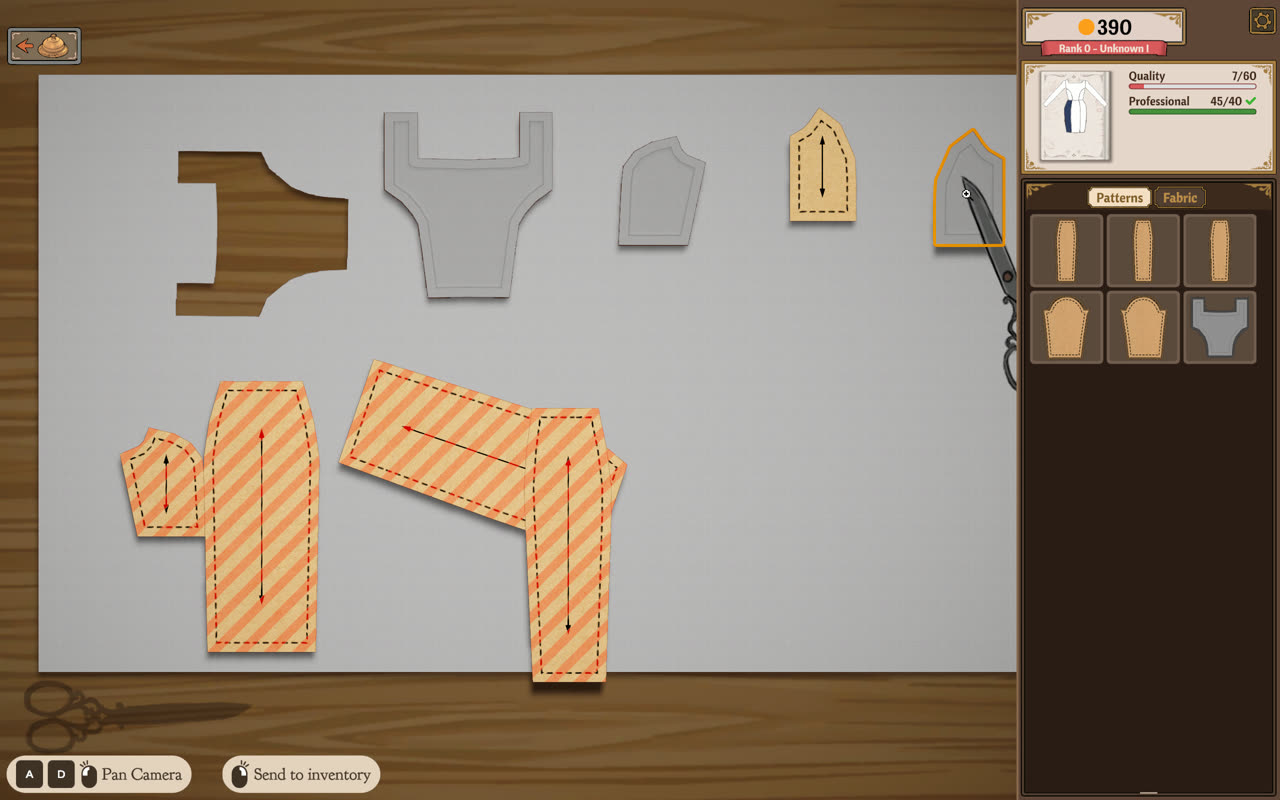
Check the Patterns list on the mannequin screen. A panel there was never placed, or was sent back because it wasn’t on its spot.
Look back at the cutting table. In our test a cut piece left on the table was missing from the mannequin’s list, so it’s easy to forget. Use Return all panels to inventory before you leave the cutting room. C0rvidae reports finding a small piece there during a similar problem.
Turn the dress and look for pins you haven’t sewn, as Jay suggests.
If every piece and seam appears complete, keep a screenshot and commission name for a bug report.
bloom reports that changing fabric during automatic cutting or piece collection can cut the newly selected material instead. There is no confirmed repair in the inspected thread. As a precaution, Kingy suggests letting the current cutting action finish before changing materials; this has not been tested as a workaround.
Scissors, discarded fabric and cutting-room fixes (Build 443)
Since Build 443 the scissors discard fabric only after you click Discard Fabric, which stops accidental loss from a misclick. The same patch fixes leaving the cutting scene mid-snip, which could leave the scissors broken, and a measuring-scene animation bug at low frame rates.
On Build 447 the cutting room’s top bar has four buttons, named when you hover: Scissors, Discard fabric, Toggle Seam Allowance and Return all panels to inventory. Discard fabric draws a dashed cut line across the cloth; one click removed the end holding an old cut-out, taking Charcoal Cotton from 3.0 m to 1.5 m. Return all panels to inventory clears the table in one click, including patterns you placed but haven’t cut.
The arrows either side of those buttons pan the camera, as do A and D, dragging empty fabric, and the mouse wheel while the Scissors are selected. Kingy has not retested the misclick or mid-snip fixes.
Build 403’s official notes say the disappearing-cursor tutorial bug was fixed. Check that Steam has installed that update or a later one before treating an old report as current behavior. When we played the cutting tutorial on build 447, the cursor stayed visible throughout.
Build 410 adds thread-colour selection in the sewing scene by clicking the spools, and the developer’s own Short shows the machine’s thread changing colour. In our build 447 test the yellow spool moved onto the machine and the thread turned yellow, and the choice carried over to the next seams. Spool clicks didn’t register during the first-seam tutorial until we’d pressed Space as it asked.
Don’t confuse it with the dress-form button on the mannequin screen: its seven colours and Confirm button recolour the mannequin, not the thread. After we picked black there, the save recorded a black mannequin and the next seam still used the default red thread. Neither the patch note nor our tests show a scoring effect or a commission requirement for thread colour.
“New update in #dressmaker 🧵 Change threads by clicking on your colour choice” by Cozy Lives · Sep 26, 2026 · Uploaded Sep 26, two days after Build 410 added spool colours; no build number on screen
Steam installed build 447 (dated October 19 on the title screen) on October 20; builds 446 and 447 came without public notes. Build 443 (October 14) adds performance changes that the developer says seem to help crashes or stutters on some systems. They also say some players still crash, and that for many, uninstalling OMEN Gaming Hub solved it. No patch note names a fix for an unfinished dress or a missing submit button, so those reports remain open.
Keep the build shown at the bottom right of the title screen, your platform, the commission name and the exact failing step with your report. The player checks above remain attributed troubleshooting suggestions; the status post does not confirm that they solve your case.
Sources · 13Walkthrough · Reported · Official · checked 26 Oct 2026 · Research checked 26 Oct 2026
Kingy Mac sewing and missing-pin playtest — October 26, 2026 ↗Kingy tested Mac Build 447.804bb8a on October 26, 2026, with native keyboard/mouse input on an existing Rose test commission. The missing-pin example was prepared by unpicking and replacing panels, not encountered as an unexplained live bug. Tested: manual sewing without steering, R reset, Sewing Assist on the tested curves, W/S speed changes, rotating the mannequin at normal zoom, replacing unpicked panels, sewing the remaining back piece, Finish Dress, photo preview and Keep working. No delivery, payment, perfect-dress achievement, every pattern, every platform or universal bug repair was verified. The footage has selected slow motion and held result frames; the video is silent with English instructional captions.Walkthrough ·
Kingy play test: Dressmaker Build 447, Rose’s first commission ↗First-hand play on Windows 11 with keyboard and mouse, October 22, 2026, about 75 minutes. The title screen reads 447.804bb8a, dated 2026/10/19 (Steam build 26043449); Steam’s newest posted patch notes are still Build 443. Covers the title Options, two new games started with and without the tutorial, Rose’s Librarian Workwear brief, measuring, the draft book, mannequin fitting, the International Emporium and the cutting room, plus the cutting toolbar, Discard fabric, the thread spools and the dress-form colour picker on an existing save. Sewing, trim, accessories, delivery and payment were not completed. The silent clips show only the game screen.Reported ·
Kingy play test: Dressmaker Build 447, sewing pins, lace direction and Rose’s delivery ↗First-hand play on Windows 11 with keyboard and mouse, October 23, 2026, about an hour on an existing test save. The title screen still reads 447.804bb8a, dated 2026/10/19. Covers the Emporium store tutorial and buying Ivory Looping Lace (2 m for 4), opening the mannequin from the shop's dress form, clicking a sewing pin and sewing that panel, the thread spools, three straight Ivory Looping Lace runs placed left to right, right to left and left to right, Fast Trim Placement ticked from the in-game Pause Menu, and the trim panel's size buttons. Curved runs and other trims were not tested. Later the same day, on the same save: re-sewing every pin with Sewing Assist on, a back-panel shoulder pin that held back Finish Dress, the photo stage, Complete Commission for Rose’s Librarian Workwear at Quality 58 against her 60 (a warning, her disappointed response and the full 200 paid, 386 to 586 coins), and the thread spool colour after Save and Quit (blue came back as red). Other customers and quality levels were not delivered. The silent clips show only the game screen.Reported ·
Dressmaker Tips and Tricks for Beginners ↗Creator description, chapter times and readable transcript checked, plus six visible comments. Sewing Assist at 6:08; recycling at 8:24; burlap planning at 13:07. Not a full footage audit; capture build unspecified. A viewer cautions that recycling after trimming excess does not restore all material.Walkthrough ·
Everything, Everywhere, All At Once ↗October 1 post-launch status: the team describes a backlog of bug reports and suggestions and work to improve reporting and communication. It announces no new patch, specific fix or feature-release date.Official ·
October Patch Notes — Build 443 ↗Trim placement and selection rework, Fast Trim Placement and Less Animation options, mannequin camera changes, colour and fabric requirement weighting for small components, Discard Fabric and grab-all cutting-room buttons, Sell as off-rack label, later gifting unlock, crash and stutter work (OMEN Gaming Hub note) and new fabrics and trims. Patch notes establish announced behavior, not successful Kingy retests.Official ·
Patch Notes — Build 410 ↗Clickable sketchbook component cues, cutting-room inventory input, thread-colour selection, panel-location hints and a tutorial softlock fix. Patch notes establish announced behavior, not successful Kingy retests.Official ·
Our First Patch Is Live! — Build 403 ↗Bell progression, cursor and shop fixes, lace tags, accepted-commission payment and single keyhole bodice fix. Patch notes establish announced fixes, not successful Kingy retests.Official ·
Thing’s I’ve Learned ↗Player observations about scoring, saved measurements, filters, cutting, recycling, sewing assist, accessory controls, photo mode, gifts and pigeon invitations. Updated September 25; payment and sale-value formulas remain community claims rather than official mechanics.Walkthrough ·
Cutting the fabric ↗Report of the wrong fabric being cut after switching materials during automatic cutting. No confirmed fix or developer response in the inspected thread.Reported ·
Stuck, won’t progress ↗Player reports of missing sewing indicators and a piece left on the cutting table; the original poster’s issue remained unresolved.Reported ·
Kingy play test: Dressmaker build 447, Rose’s first commission from cutting to lace ↗First-hand play of the Steam release on Windows 11 with keyboard and mouse, in a new save, on October 20, 2026. Title screen 447.804bb8a (2026/10/19), Steam build 26043449; an October 17 session on build 446 covered the same cutting-room steps. Covers Rose’s Librarian Workwear: sketch and Draft Pattern, mannequin gears, cutting all 14 panels on two fabrics, pinning and sewing every seam with and without Sewing Assist, thread spools, and White Zig Zag Lace placement, extension, removal, direction and camera controls. A short follow-up on October 22 in the same save checked Fast Trim Placement (switched on from the title-screen Options) and the trim panel’s X button. Not reached: delivering the dress (quality 50 of the 60 required); the duplicate-trim button was not confirmed. Screenshots and silent clips captured from the game window only.Reported ·
Dressmaker official update feed ↗Fetched October 24, 2026: the newest announcement is the Build 443 patch notes, published October 14. They call rebindable controls and gamepad support (including Steam Deck) a high priority after the UX work, with no date. No release confirmation for the announced ports, transparent fabrics or online challenge mode appears in this feed.Official ·
Stuck? Tell us where
Say where you’re stuck in Dressmaker. You get one hint at a time from a published kingy.wiki guide, and the answer and its clip stay covered until you ask.
If nothing matches, we keep your words (without emails, links or long numbers) to decide which answers to write next. Privacy

 0:00–0:09 · 9 sOfficial: switching the machine's thread colour from the spools