The short answer
Read every requirement, including any maximum or material restriction, before buying fabric. The sketch is a plan: your fabric choices also affect the result. Work through measuring, designing, cutting, sewing and decoration, then check the finished dress against the customer’s brief.
Start with the customer’s brief
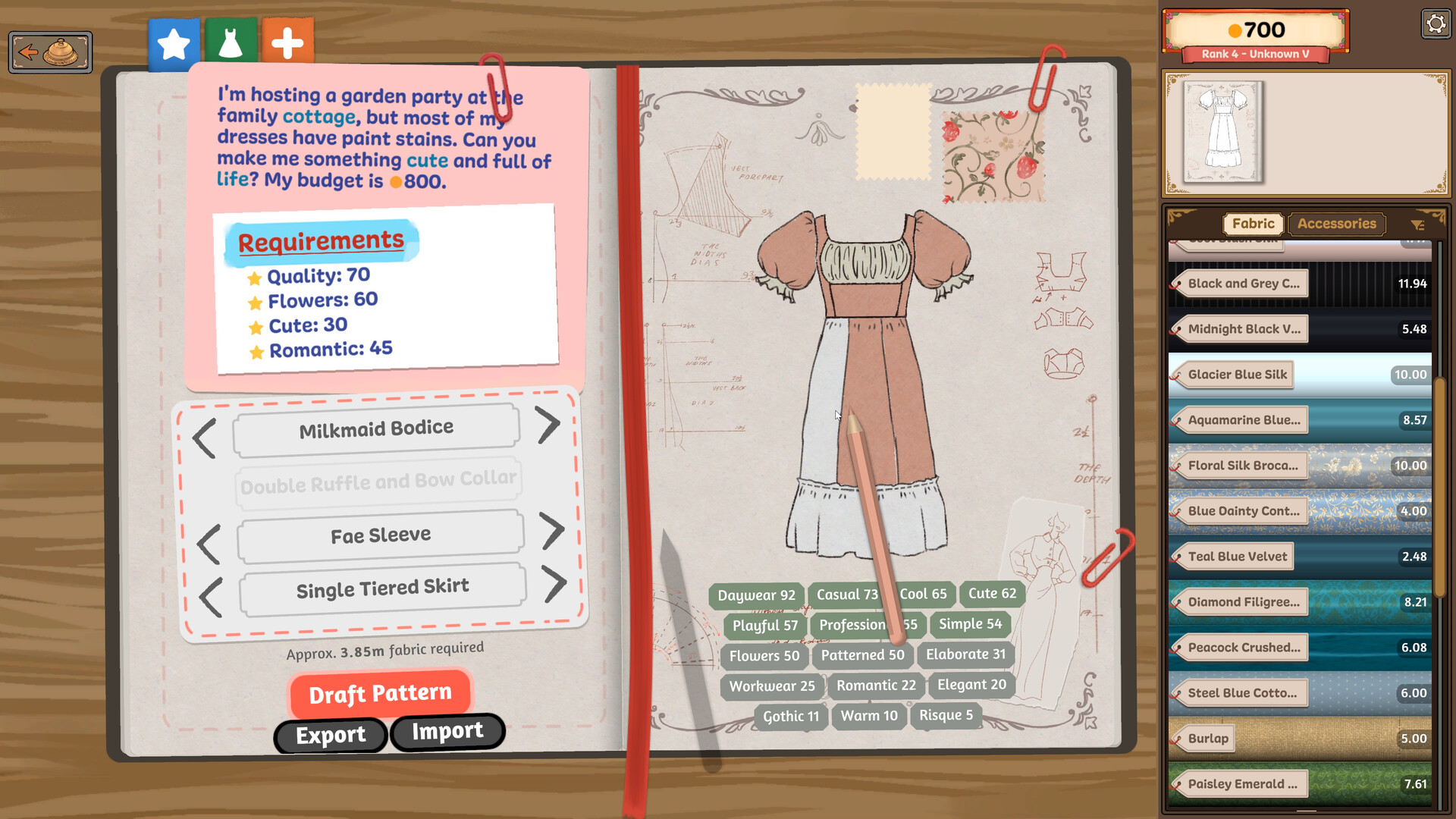
Keep the requested qualities and budget beside your design choices. The official sketchbook screenshot below shows an example with Quality 70, Flowers 60, Cute 30 and Romantic 45. Those numbers belong to this pictured brief; they are not requirements for every customer or proof that the pictured sketch passes.
Sources for this section
- Cozy Lives / Free Lives: Dressmaker on Steam · Checked 2026-09-24
A maximum is a ceiling
Seerolz’s launch guide explains that a requirement marked max is an upper limit. It also distinguishes the solid green estimate from the striped range, which varies with fabric usage. Treat that as player-reported UI guidance; check the actual wording in your build.
Sources for this section
- Seerolz and attributed Steam commenters: Thing’s I’ve Learned · Checked 2026-09-24
Match the full brief
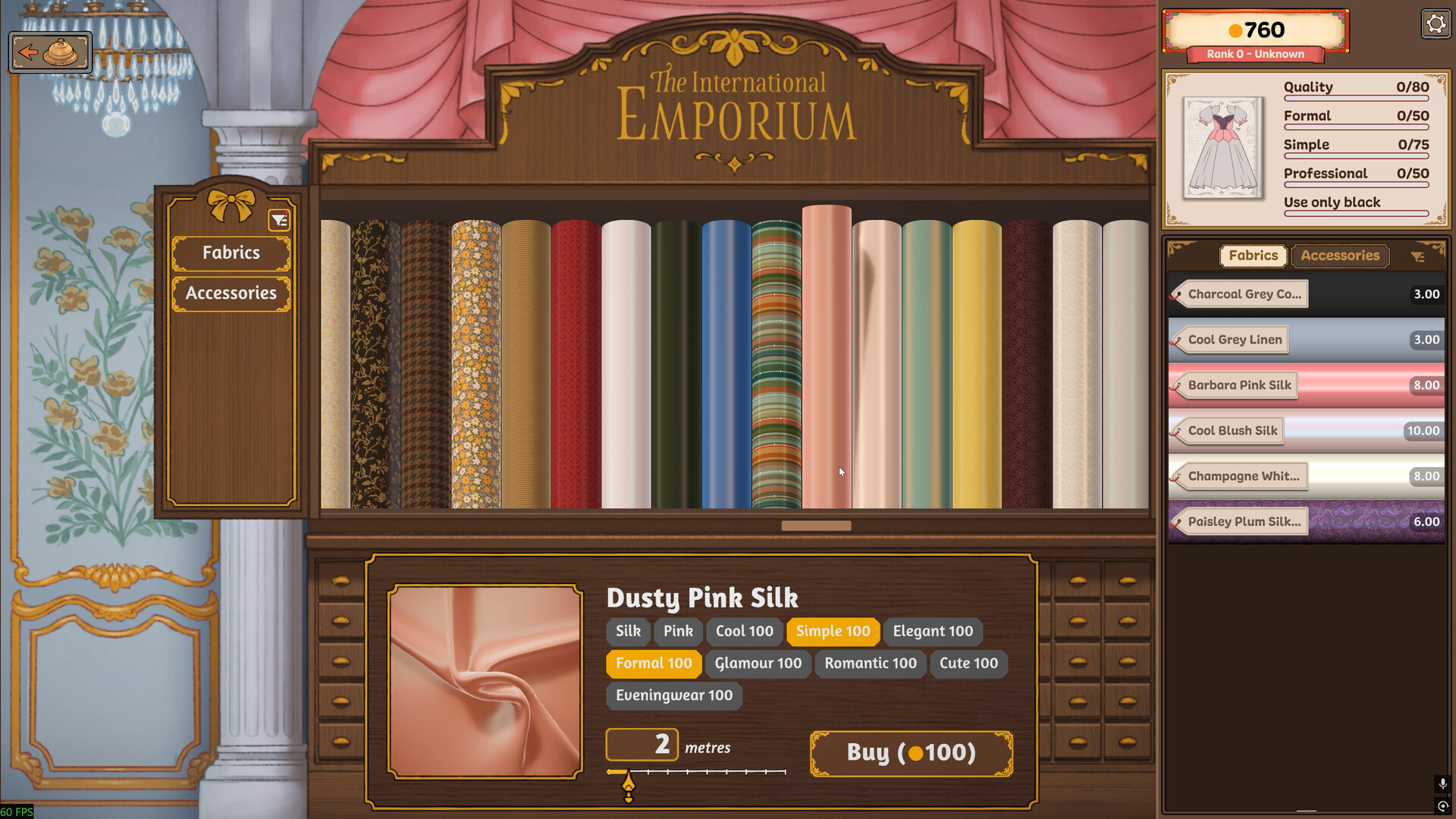
In the shop screenshot below, pink silk has useful Formal and Simple tags, but the brief also says to use only black. Matching two style tags would not satisfy that color instruction. This is why checking the whole brief matters more than picking a fabric with one attractive score.
Sources for this section
- Cozy Lives / Free Lives: Dressmaker on Steam · Checked 2026-09-24
Your checklist
0 of 4 complete · Loading saved progress…
Research checked 2026-09-24. This is a source-based guide; Kingy has not independently play-tested these steps. Evidence and coverage.