Video guides
Which Modern Warfare 4 video should you watch?
Launch brought a pile of fix and settings videos, and many repeat each other. Pick your problem and we'll point you to one video and the chapter worth your time. These are creator videos; Kingy hasn't tested their advice.
4 picks · 2 checked moments · 5 creators · updated Nov 2, 2026
One video for each job
These open on YouTube, at the chapter you choose.
I want more FPS from the graphics settings
Our pick · Low spoiler risk
Best Modern Warfare 4 Settings: All Graphics Settings Tested and Compared
Game Guides · 19:51 · uploaded Oct 25, 2026
Takes the graphics settings one chapter at a time, with an FPS chart for each, so you can jump straight to the one you're unsure about.
Prefer something else? MW4 Best PC Settings: Every Setting Tested, With Proof
Mortal TV · 56:32 · uploaded Oct 26, 2026 · Low spoiler risk
Nearly an hour long. Skip to its last chapters for three setups to copy, for low, medium and high-end PCs.
Rather read it? Official PC specs
MW4 keeps crashing on PC
Our pick · Low spoiler risk
MW4 Crashing on PC? Fix It INSTANTLY! (2026 Guide)
Joy of TechWorld · 16:05 · uploaded Oct 25, 2026
23 numbered fixes, each its own chapter and written out on slides. Start with drivers and overlays, which Activision's own crash steps also name.
Prefer something else? MW4 PC Optimization Guide: Max FPS + Lower Input Delay
Xilly · 15:44 · uploaded Oct 28, 2026 · Low spoiler risk
An FPS guide that opens on the TPM and Secure Boot screen and ends with a chapter on packet burst, stutter and crashes.
Rather read it? If MW4 crashes on PC
MW4 won't launch on Xbox or the Xbox app
Our pick · Low spoiler risk
MW4 Not Working on Xbox? Fix the Device Limit Block on Xbox Series X|S & Xbox PC (2026)
EKW the gamer · 8:37 · uploaded Oct 24, 2026
Goes through Activision's known-issue advice for Xbox step by step, with the source named on screen.
Rather read it? Launch known issues
My DMZ Operator won't Prestige
Our pick · Low spoiler risk
MW4 Can't Create a Class After Classic Prestige? Official Fix + Camo & DMZ Prestige Bugs (2026)
EKW the gamer · 8:39 · uploaded Oct 25, 2026
Mostly about Multiplayer Prestige bugs. Jump to its DMZ chapter for the workaround with Rare weapons.
Rather read it? Launch known issues
Newest videos we've checked
- MW4 keeps crashing on PC Xilly · uploaded Oct 28, 2026
- I want more FPS from the graphics settings Mortal TV · uploaded Oct 26, 2026
- I want more FPS from the graphics settings Game Guides · uploaded Oct 25, 2026
- MW4 keeps crashing on PC Joy of TechWorld · uploaded Oct 25, 2026
- My DMZ Operator won't Prestige EKW the gamer · uploaded Oct 25, 2026
Video board
Ask the question, watch the moment.
Pick the question you have. Each one opens to a short answer and the exact seconds of video that show it.
2 questions · 2 moments · 2 creators · updated Nov 2, 2026
This is creator footage we checked on screen, not a Kingy playtest. Answers and pictures stay closed until you open them.
Installing and launching
Why is there no button to launch MW4 on Xbox on PC?1 moment · Shows objectives
Activision lists a missing launch button in COD Home for some Xbox on PC players. Its tips: install any missing MW4 Content Packs, and check your Microsoft Store account hasn't passed its 10-device limit. A fix is under investigation. Read the written guide
The install step and Activision's device-limit tip, on the creator's text cards. EKW the gamer · uploaded Oct 24, 2026
Checked on screen · Nov 2, 2026
 4:40–5:27 · 47 sNo launch button in COD Home on Xbox on PC
Check the 10-device limit, then install the game from My Library in the Xbox app.
EKW the gamerFull video ↗Credits
“MW4 Not Working on Xbox? Fix the Device Limit Block on Xbox Series X|S & Xbox PC (2026)” by EKW the gamer · Oct 24, 2026 · Launch week (uploaded Oct 24, 2026); text cards over Activision imagery, no game build shown
Independent creator · no partnership implied
Does MW4 need TPM 2.0 and Secure Boot on PC?1 moment · Shows objectives
Yes, Activision's PC launch article requires both. Read TPM status and version in tpm.msc, and BIOS Mode and Secure Boot State in msinfo32. Ask your PC or motherboard maker before changing firmware settings. Read the written guide
The in-game Action Required screen when both are off, then a firmware Secure Boot page. Xilly · uploaded Oct 28, 2026
Checked on screen · Nov 2, 2026
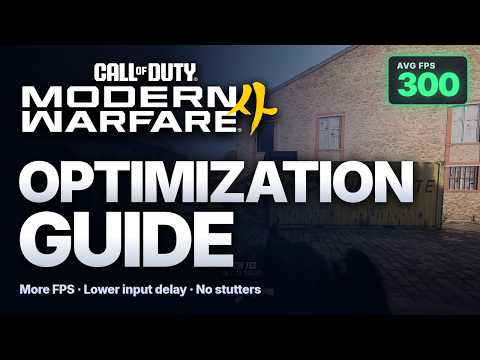 0:28–1:41 · 73 sThe Action Required screen when TPM or Secure Boot is off
On screen: Call of Duty's Action Required screen listing TPM 2.0 and Secure Boot as not enabled with a failed attestation status, then a motherboard firmware Secure Boot page, then a card about a BIOS update.
XillyFull video ↗Credits
“MW4 PC Optimization Guide: Max FPS + Lower Input Delay” by Xilly · Oct 28, 2026 · Launch week (uploaded Oct 28, 2026); Windows PC, build not shown
Independent creator · no partnership implied
How we choose
- Not by views. This page shows no view counts and doesn't rank by them. A pick has to suit the job, be from launch week or later, have chapters you can jump through, and show what those chapters say when we pause it.
- These are our picks, and advice stays the creator's. We read chapter lists and check frames. We don't use transcripts, so we can't vouch for spoken advice, and Kingy hasn't played these routes. Treat everything here as community-reported.
- Left out on purpose: Shorts, reviews, trailers, reaction videos and long streams.
- No deals. Nobody paid to be here and no partnership is implied. Creator and want a video removed? Tell us.