GTA 6 Sinfrontera National Bank: How to check for security features
At Check for security features, press L3 and R3 together to enter Focus, then hold R1 (RB on Xbox) on each highlighted feature to inspect it. PowerPyx lists four: the cameras above the counter, the man in the pink suit behind Jason, the two guards by the elevators and the security panel between the two elevators.
Gameplay by Aquish GTA · Footage and launch walkthroughs checked
Step-by-step hints
Stuck? GTA 6 Sinfrontera National Bank: How to check for security features
Hint 1
Use Focus in the lobby and look above the counter first.
Hint 2
Aquish GTA’s recording shows the lobby darkening in Focus, with red points above the counter. After the four inspections, Raul calls you upstairs. Use the chair there to finish the job.
Hints checked 2026-11-20
What if the objective doesn’t complete?
Go back through the list of four and enter Focus again near the elevators. Two of the four are there: the guards and the panel between the elevator doors.
The button names and the list of four come from PowerPyx’s guide. Follow the prompt on your own screen. We checked the Focus view in the clip, not each inspection.
Watch the steps
Spoiler clip · See Focus pick out the cameras above the counter · reveal
“GTA 6 - Chapter 3 Mission #17 - Sinfrontera National Bank [Mission Playthrough - 4K 60fps]” by Aquish GTA · Nov 19, 2026 · Launch footage. Exact console model and game build are unconfirmed.
Say where you’re stuck in Grand Theft Auto VI. You get one hint at a time from a published kingy.wiki guide, and the answer and its clip stay covered until you ask.
If nothing matches, we keep your words (without emails, links or long numbers) to decide which answers to write next. Privacy
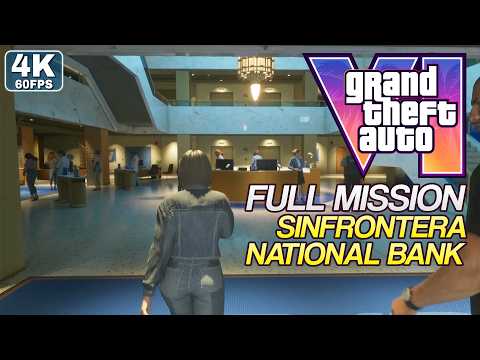 0:58–1:10 · 12 sSee Focus pick out the cameras above the counter