Step-by-step hints
Stuck? How to use turn signals in GTA 6 on PS5 and Xbox
Hint 1
In Settings, check which preset is selected in Control Scheme.
Hint 2
Choose Preview → Land / Water Vehicles. Let the preview cycle until Indicate Left and Indicate Right appear beside the controller diagram.
What if those buttons do something else?
Check your own Land / Water Vehicles preview. Both examples show the Default preset, marked 1 / 3. If you use another scheme or remapped the buttons, follow the Indicate Left and Indicate Right rows for your current layout.
The two recordings show the in-game bindings on PS5 and Xbox. The player demonstration shows the lamps from behind the car.
Watch the steps
Checked on screen · Nov 20, 2026
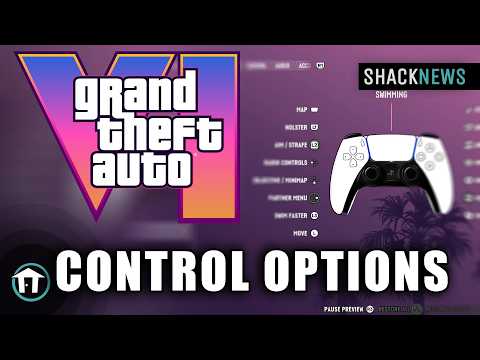 0:33–0:36 · 3 sCheck the PS5 turn signal buttons
On Default, press D-pad Left for the left indicator or D-pad Right for the right indicator.
ShacknewsFull video ↗Credits
“GTA 6 - All Control Options” by Shacknews · Nov 18, 2026 · PlayStation controller diagram. Exact console model and game build are unconfirmed.
Independent creator · no partnership implied
Checked on screen · Nov 20, 2026
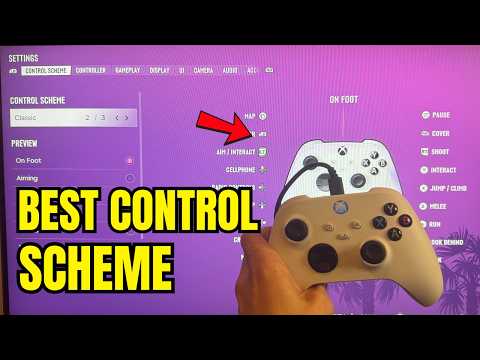 0:24–0:27 · 3 sCheck the Xbox turn signal buttons
Check the Indicate Left and Indicate Right rows for the bindings in your preset.
VVabyFull video ↗Credits
“GTA 6: Best Controller Control Scheme To Use! (Xbox Series X/S)” by VVaby · Nov 18, 2026 · Xbox Series X|S according to the creator. Game build number is not shown.
Independent creator · no partnership implied