DREADMOOR demo controls and settings: keys, boat, fishing and the options worth changing
Quick answer
On foot it's WASD, Space to jump, Shift to run, left mouse for your main action and F to interact; 1 to 4 pick your melee weapon, tool, ranged weapon and consumable. I opens the inventory, M the map, J the journal, N recipes and L the flashlight. At the helm, WASD steers, Shift is Nitro, X docks and undocks and F leaves the wheel; the menu lists E for fishing from the boat, which we haven't tried. On foot we started fishing with F on the quest marker; left mouse casts and reels, A and D pull against the fish, and F lands it. The Game settings have Keyboard Fishing (fish with A and D) and Guided Fishing, both off by default. The demo autosaves at quest steps and Esc has 25 manual save slots.
Before you start
On foot
These are the defaults on the Controls tab of Settings, read from the menu. The controller column there shows Xbox-style prompts.
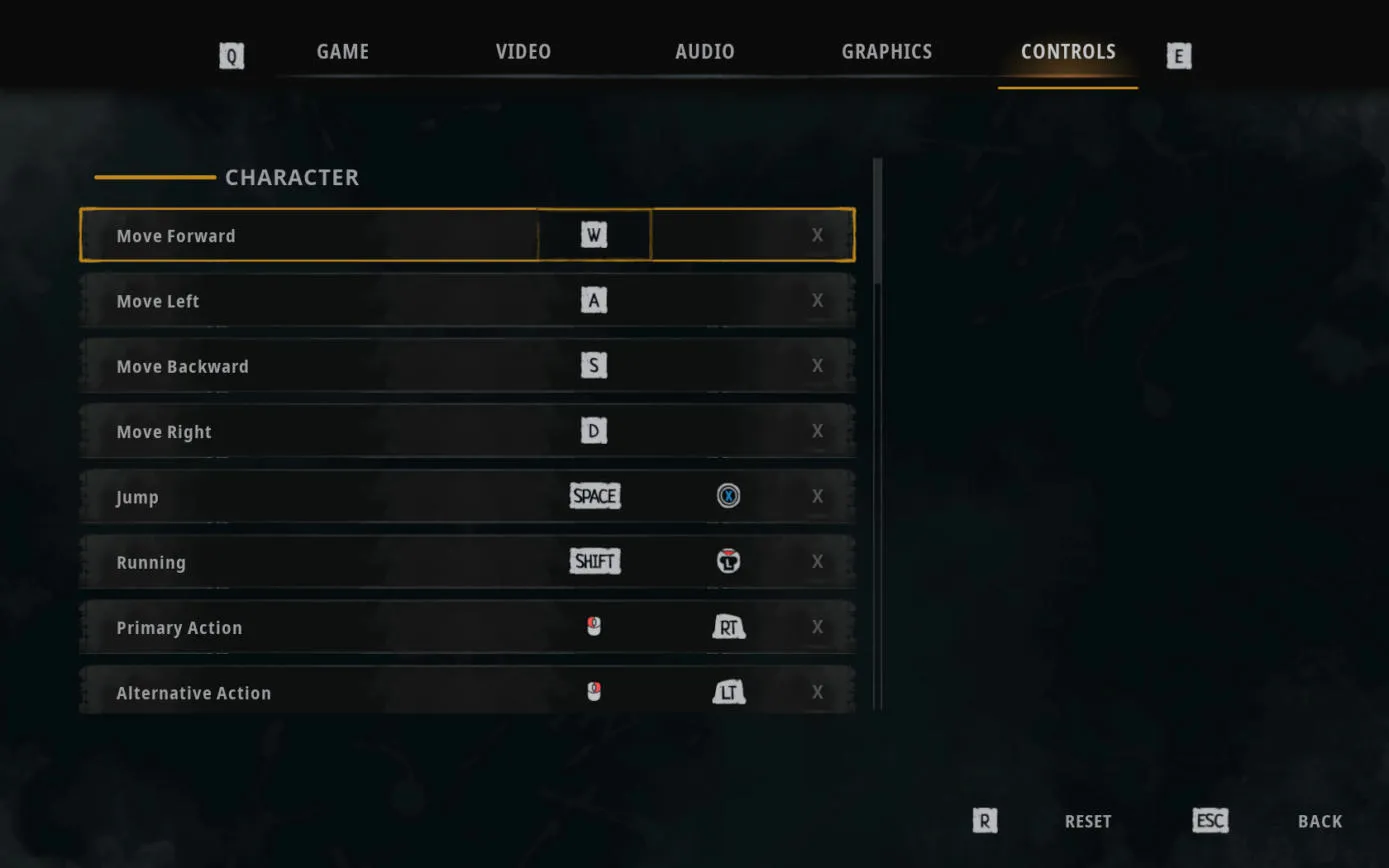
| Action | Keyboard and mouse | Controller |
|---|---|---|
| Move | W A S D | Not listed in the menu |
| Jump | Space | X |
| Run | Shift | Left stick click |
| Primary action (swing, throw) | Left mouse | RT |
| Alternative action | Right mouse | LT |
| Reload | R | Y |
| Interact | F | A |
| Melee weapon / tool / ranged / consumable slot | 1 / 2 / 3 / 4 | D-pad |
| Inventory | I | View button |
| Map / Journal / Recipes | M / J / N | — |
| Flashlight | L | Right stick click |
| Bilges (the boat's hold) | B | — |
| Mastery | T | — |
Sources for this section
- kingy.wiki: Kingy test run: DREADMOOR demo, new game to the Catch Snappers job · Checked 2026-11-02 · Published 2026-11-02
At the helm and while fishing
Walk up to the wheel in the wheelhouse and press F at the Fishboat prompt to take control. The view switches to third person behind the boat. X undocks and docks, but docking only works inside a docking zone: an anchor icon shows at the bottom left when you're in one.
E starts fishing from the boat over a fishing spot. Before you have a rod, the fishing prompt shows but is greyed out.
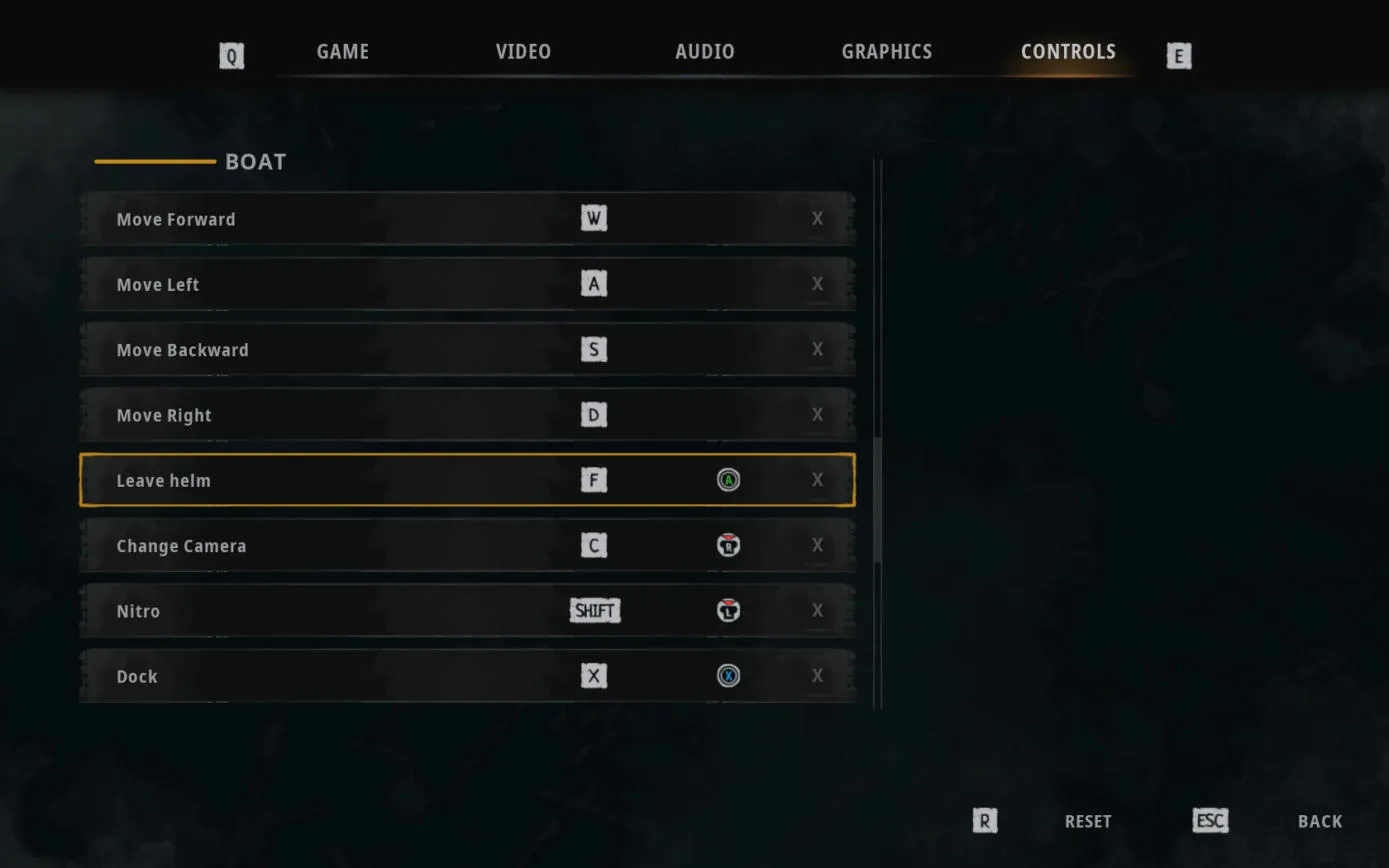
| Action | Keyboard and mouse | Controller |
|---|---|---|
| Steer the boat | W A S D | Not listed in the menu |
| Leave the helm | F | A |
| Change camera | C | Right stick click |
| Nitro | Shift | Left stick click |
| Dock / undock | X | X |
| Spotlight | Right mouse | RB |
| Start fishing | E | LB |
| Cast | Left mouse | RT |
| Choose tackle | R | B |
| Recast | Right mouse | LT |
| Reel ability | 1 | X |
| Pull left / pull right | A / D | — |
| Move a catch to the hold | G | X |
| Auto-sort to the hold | F | A |
| Release a catch | Z | Y |
Sources for this section
- kingy.wiki: Kingy test run: DREADMOOR demo, new game to the Catch Snappers job · Checked 2026-11-02 · Published 2026-11-02
Fishing options on the Game tab
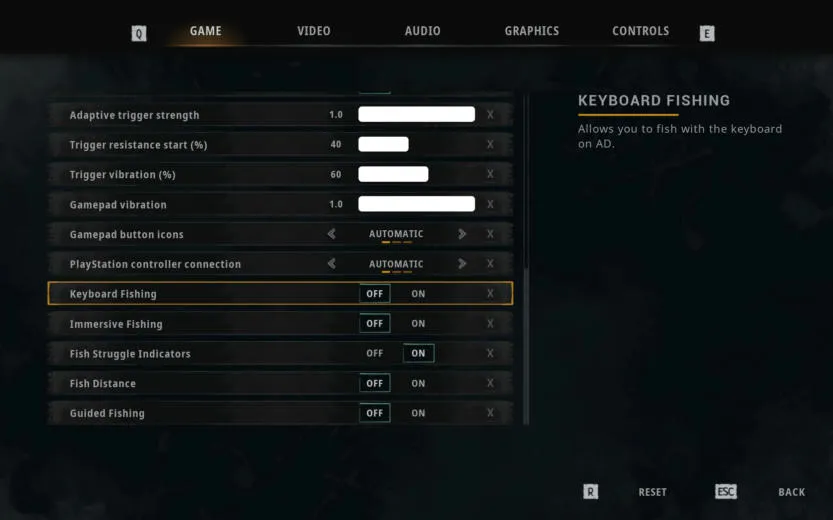
Five fishing switches sit at the bottom of the Game tab. Keyboard Fishing, which the game describes as letting you fish with the keyboard on A and D, Immersive Fishing, Fish Distance and Guided Fishing start off. Fish Struggle Indicators starts on.
The same tab has field of view (90 by default), camera sensitivity, mouse and gamepad invert options, stick dead zones, and DualSense adaptive trigger and vibration settings.
Sources for this section
- kingy.wiki: Kingy test run: DREADMOOR demo, new game to the Catch Snappers job · Checked 2026-11-02 · Published 2026-11-02