
Combat, health and Lavendoleum
Quick answer
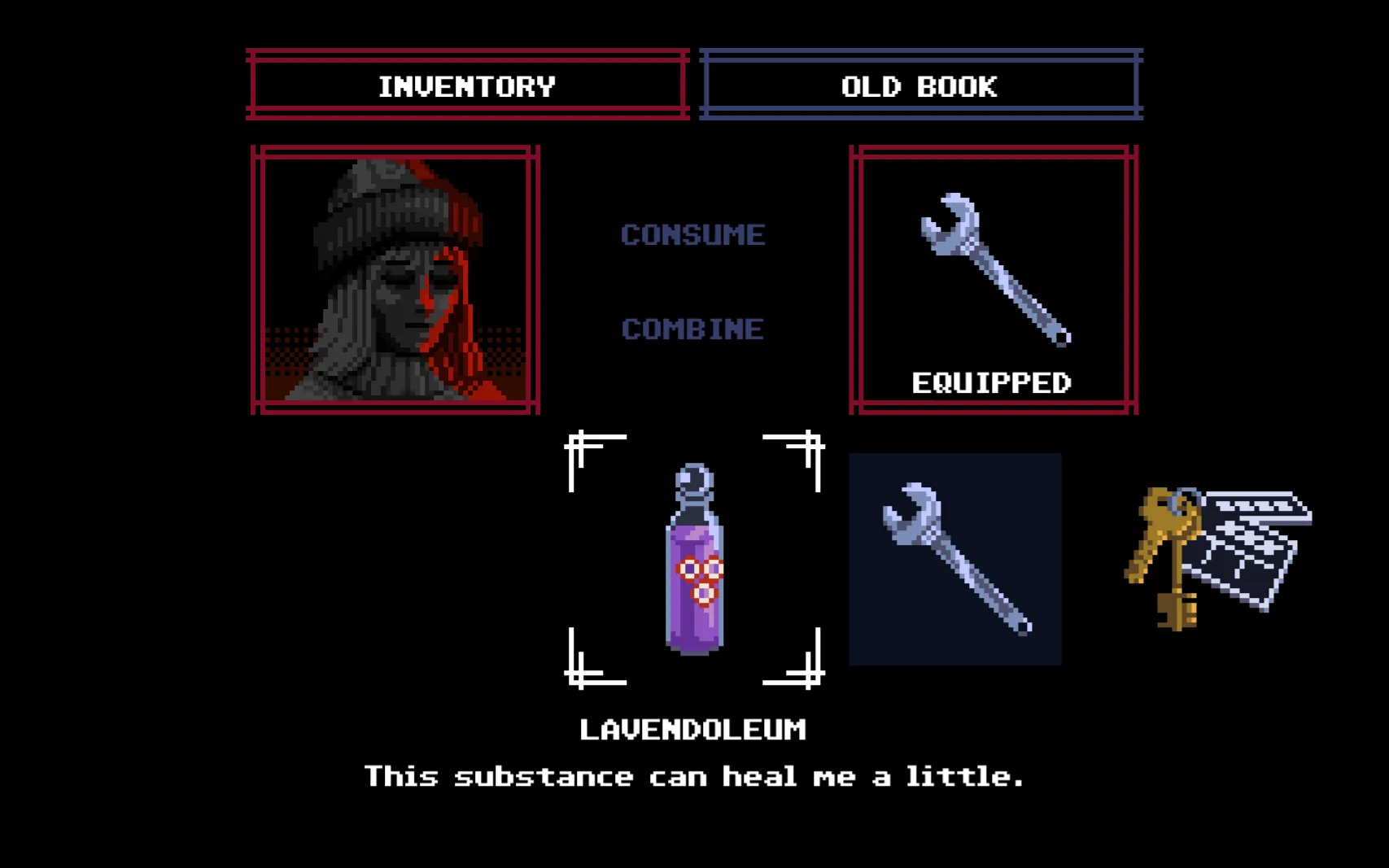
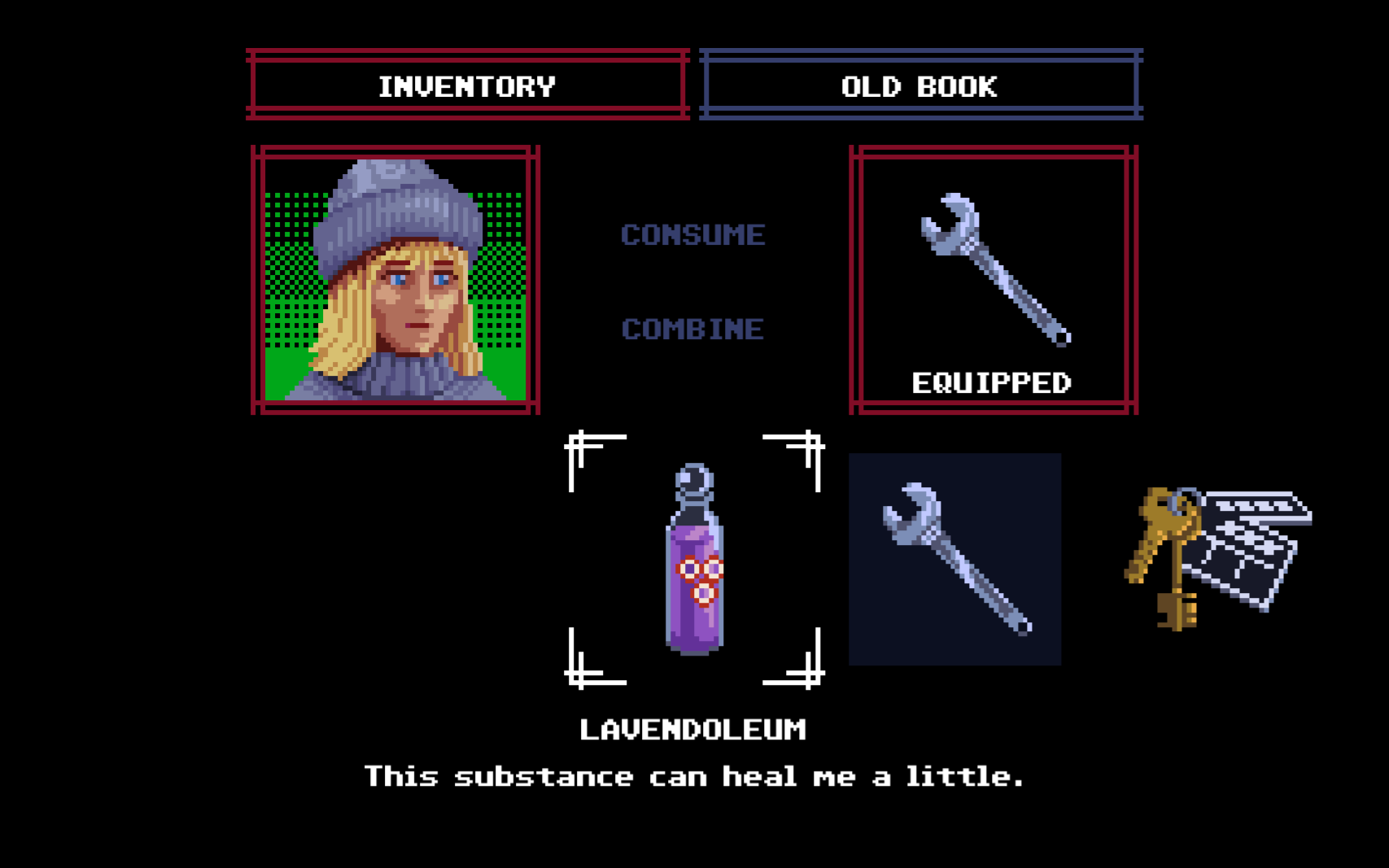
Equip a weapon in the inventory, hold right-click to aim, turn with A and D, and left-click to swing. There's no health bar: open the inventory and check the portrait's background, which is green when you're healthy, turns yellow and darker after hits, and red and grey when you're badly hurt. Lavendoleum heals a little: each bottle moved the portrait up one step in our tests.
Checked 22 Oct 2026 · after patch 1.0.1 (18 Oct 2026)
Before you start
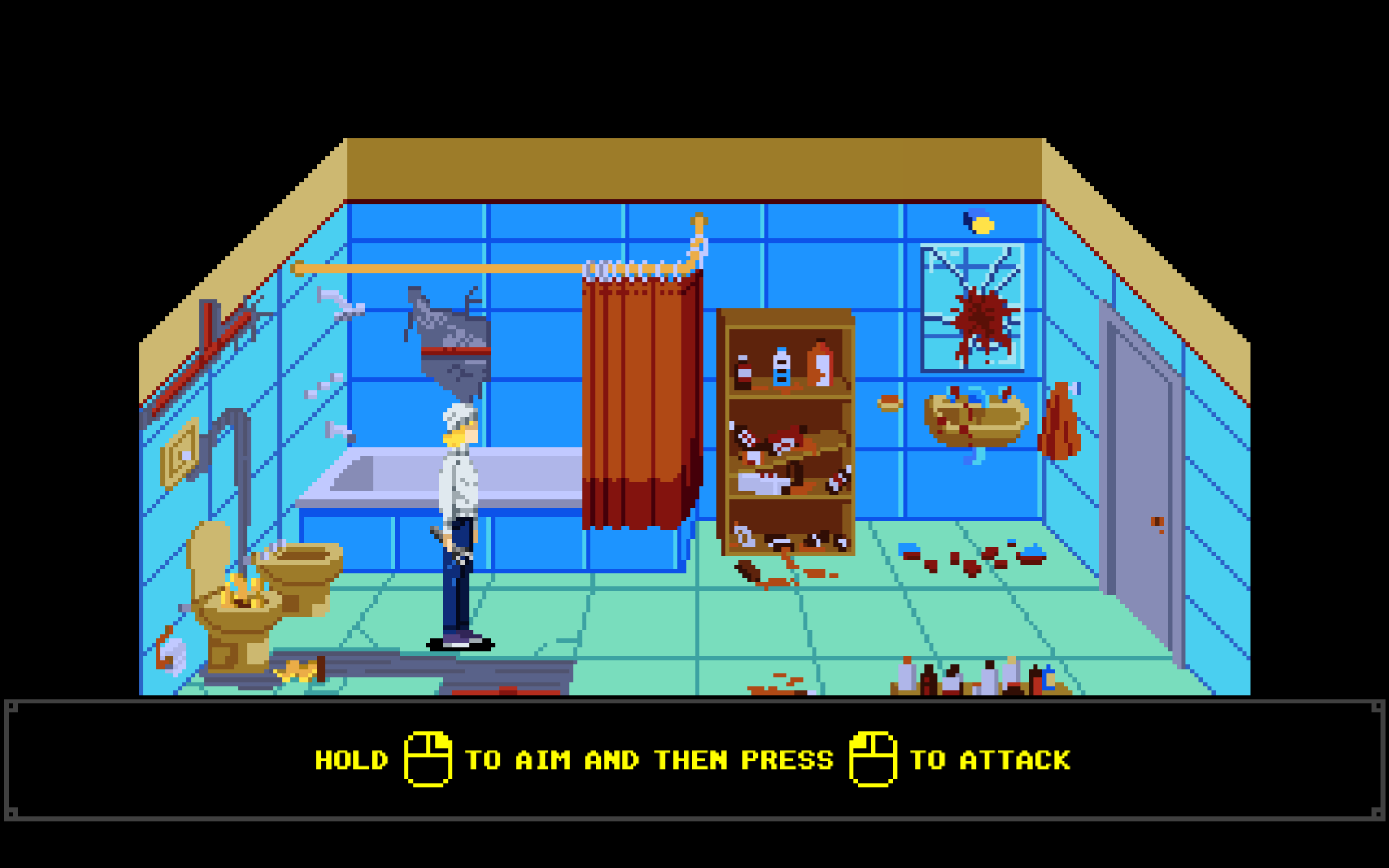
Aim and attack
Equip a weapon in the inventory's Equipped slot. Hold right mouse to aim, use A and D to turn, and press left mouse to swing. The mouse cursor doesn't aim.
In our one fight, walking into the enemy got her knocked down and killed within seconds. Waiting for it to come into range and swinging then worked better. It took several wrench hits.
Sources for this section
- kingy.wiki: Kingy test run: version 1.0.1, new game to the first enemy fight · Checked 2026-10-19 · Published 2026-10-19
What the first enemy does
Reveal solution / story details
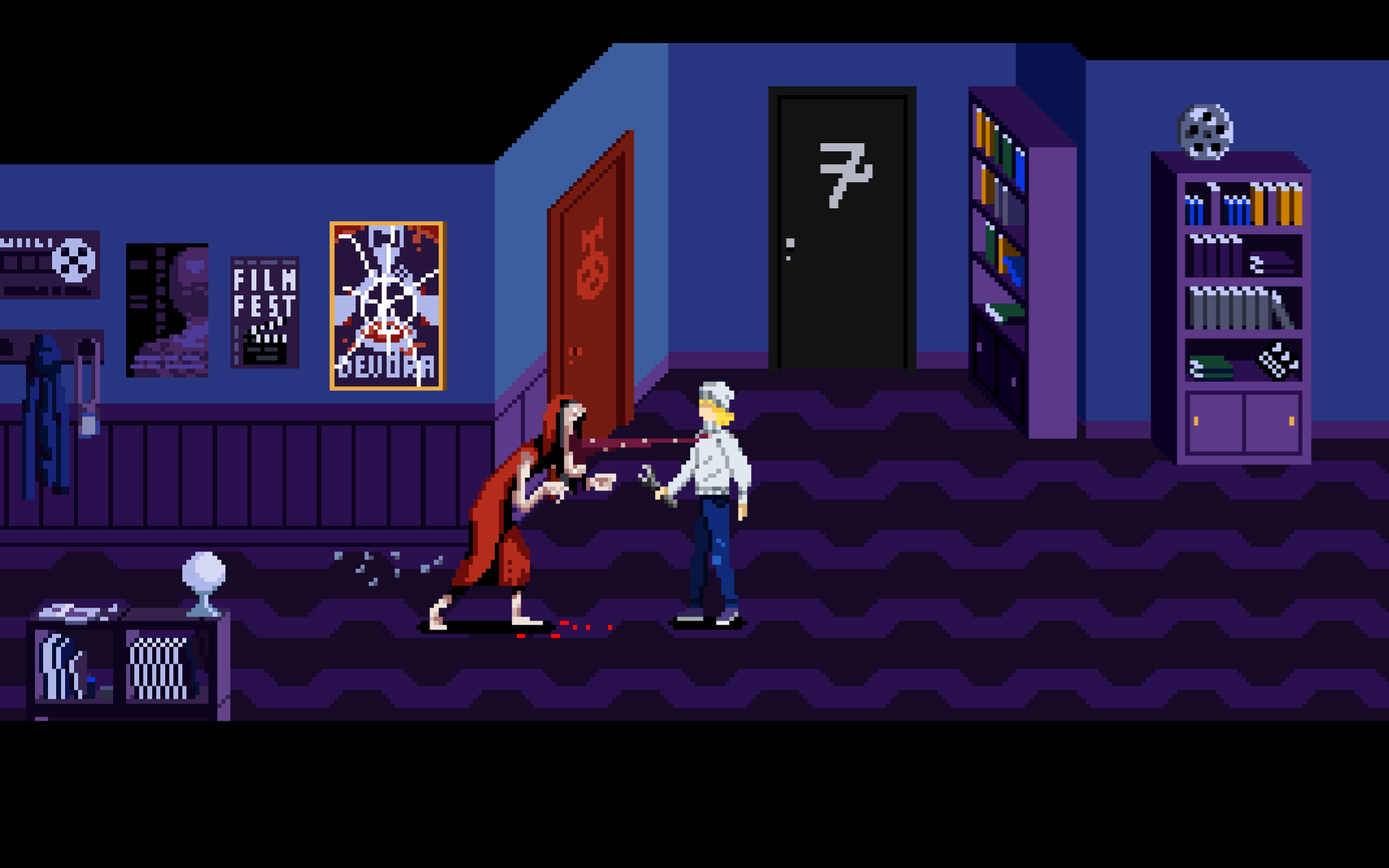
The first enemy is a red-hooded creature in the changed apartment hallway. Up close it grabs you. After a wrench hit knocked it back, it attacked from range across the gap.
That matches the demo v0.4 notes. In every fight Kingy recorded with this kind of creature, including the one on floor 2, the ranged attack came only after a knockback. That is still a handful of fights, not a confirmed rule.
Sources for this section
- kingy.wiki: Kingy test run: version 1.0.1, new game to the first enemy fight · Checked 2026-10-19 · Published 2026-10-19
- kingy.wiki: Kingy test run: version 1.0.1, the elevator and floor 2 · Checked 2026-10-21 · Published 2026-10-22
- New Blood Interactive on Steam: DEMO Update + New Screens · Checked 2026-10-12 · Published 2025-02-24
Read your condition from the inventory portrait
There is no health bar on screen. Open the inventory: the background behind the portrait is green when you're healthy. After hits it turns yellow and the portrait darkens, and when you're badly hurt it turns red and grey.
Demo v0.4 notes call it the health portrait and mention more sanity states. The full game doesn't label it, so treat it as a general condition meter until more is known.
Sources for this section
- kingy.wiki: Kingy test run: version 1.0.1, new game to the first enemy fight · Checked 2026-10-19 · Published 2026-10-19
- kingy.wiki: Kingy test run: version 1.0.1, the elevator and floor 2 · Checked 2026-10-21 · Published 2026-10-22
- New Blood Interactive on Steam: DEMO Update + New Screens · Checked 2026-10-12 · Published 2025-02-24
Lavendoleum heals
The full game spells it Lavendoleum, with a v. Its description says it "can heal me a little", and its action is Consume. In our tests each bottle moved the portrait up one step: yellow back to green, and red back up to yellow.
Demo v0.4 notes spelled it Labendoleum and said it restores less sanity. Those notes describe the old demo, not 1.0.1.
Sources for this section
- kingy.wiki: Kingy test run: version 1.0.1, new game to the first enemy fight · Checked 2026-10-19 · Published 2026-10-19
- kingy.wiki: Kingy test run: version 1.0.1, the elevator and floor 2 · Checked 2026-10-21 · Published 2026-10-22
- New Blood Interactive on Steam: DEMO Update + New Screens · Checked 2026-10-12 · Published 2025-02-24