Scan a vehicle with WAiNK
- Play Unwanted Attention in Chapter 1. Cal introduces the phone app, also called WAiNK It.
- Open the in-game phone and select WAiNK. Aim at a vehicle and use the on-screen scan control. The captured PS5 tutorial shows hold R1.
- Read the make, model, security and Tracker fields. For your first registration in Chapter 2, look for Tracker: None. A displayed registration quote can appear even for a car Moses will refuse.
PC Gamer’s launch playthrough and WAiNK unlock · GTA6DATA’s PS5 scan and registration screenshots
Register and keep a personal vehicle
- In Chapter 2, start Moses (Take a Vehicle to Moses) at Watkins Auto Parts in Port Gellhorn. Take an eligible untracked car and watch for the suitability message when you get in.
- Follow Moses through the scan and vehicle tutorial. Return to the workshop. In GTA6DATA’s run the car they brought was the one they registered.
- Choose Respray, then Register. Moses covered the tutorial registration in the recorded run. The Register menu confirms the car is registered. After you leave the menu, look for now an owned vehicle. You can also check My Vehicles in Scooter Bros.
After the tutorial, check the registration quote before paying at a shop or contact that offers registration. Additional owned vehicles need space. If you use a garage or a safehouse parking space to store an unowned car, it can still be permanently lost if destroyed. Check its ownership before relying on delivery or leaving anything valuable in the trunk.
Watch the Register menu and ownership confirmation · PowerPyx’s Moses walkthrough · GamesRadar+ on registration, storage and recovery
Get your car back
- Still in Chapter 1
- After Just a Scratch, look for Joey in the phone’s Contacts for help with Jason’s Ganado. Follow the option and price displayed in your game.
- Parked somewhere or left behind
- After Moses, open Scooter Bros → My Vehicles, pick the registered car and choose Set Destination if you want to find it or Request if you want delivery. If Request is unavailable, try again from a spot near a road. Read the fee before confirming because distance can change the quote.
- Wrecked or undriveable
- Check the registered vehicle’s recovery option in Scooter Bros and review the fee. If it was unowned, GamesRadar+ reports permanent loss once it’s destroyed.
- Impounded
- Look for the vehicle under Personal in the map index. Check the Scooter Bros recovery quote or use the impound marker to go there yourself. If there was a stash in the trunk, don’t assume delivery also returns its contents. The Phoenix impound guide covers the specific Chapter 2 job.
PowerPyx’s Joey and Scooter Bros instructions · GamesRadar+ recovery and impound screenshots · Player tips from the Keys
Watch the steps
Checked on screen · Nov 20, 2026
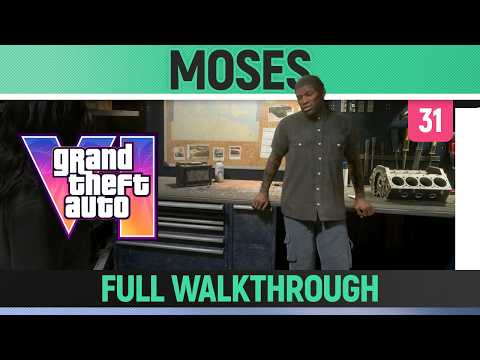 6:09–6:34 · 25 sRegister the car and see the ownership confirmation
Respray the eligible car, choose Register, then look for the ownership confirmation when you leave the menu.
Trophy TomFull video ↗Credits
“GTA 6 - Moses (Take A Vehicle to Moses) - Full Walkthrough” by Trophy Tom · Nov 19, 2026 · Launch gameplay with PlayStation button icons. Console model and game build are unconfirmed.
Independent creator · no partnership implied