Make dialogue easier to read
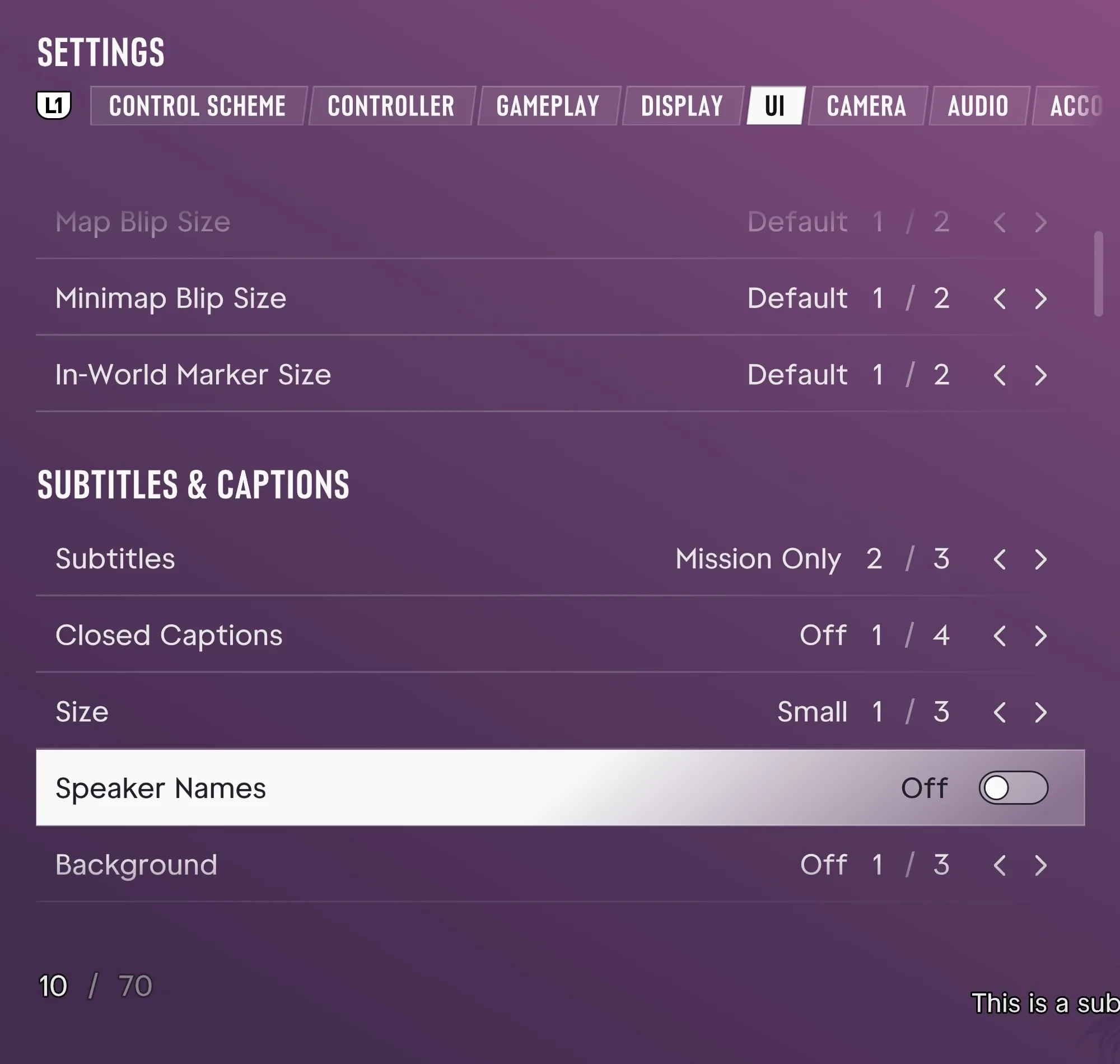
Open Pause → Settings → UI → Subtitles & Captions.
- Bigger subtitles
- Open Size and move one or two steps up from Small. The menu offers three sizes.
- See who’s speaking
- Set Speaker Names to On. Make sure Subtitles are enabled where you want dialogue text. Mission Only limits where they appear.
- Make dialogue stand out
- Change Background from Off to give the text a backdrop. Closed Captions is a separate setting for captions.
Reduce effort on repeated or held inputs
Under Pause → Settings → Gameplay → Accessibility, look for Tap Assist for repeated presses and Hold Assist for held inputs. Change one setting at a time and try the action that was giving you trouble. For an interaction you normally hold, the separate Interact setting in Gameplay offers another input style.
The labels above were recorded on PS5. ViceManual’s launch settings walkthrough