
Combat / Decision guide
Team presets, quick switching and early team building
The Part 2 announcement says party switching now applies immediately without Deploy. The original October 30 PC walkthrough below records the earlier Deploy interface and shows how a saved lineup was restored.
Version 1.1: ATK feedback and balance adjustments
Pawprint now reports direct feedback from ATK increases for non-DPS Aniimo. At low ATK, BREAK damage depends jointly on ATK and BREAK within a range; Support damage depends jointly on ATK and level. No complete formula, threshold or measured damage benchmark is published.
The same notice changes Blazen’s HP/ATK/REGEN family stats to 112/90/98, Waleetle’s ATK to 120 and Lavazar’s Fiery Punch energy cost to 20. The current official creature records confirm those values. This does not establish a best-party ranking.

Sources: Season 1 Part 2 — Known Issues & Fixes ↗ · Official Aniimo Wiki — current English catalogue reconciliation ↗
Start with roles, not rankings
The official catalogue publishes role labels including DPS, Heal, Support, BREAK and REGEN. Use the Dex and comparison tool to place damage, sustain and utility next to each other. A balanced first shortlist is more defensible than a launch-day S-tier claim with no common test conditions.
- Pick one record that can apply reliable damage.
- Add healing, regeneration or defensive support when the published kit provides it.
- Use BREAK or control options when the encounter rewards interruption or stagger.
- Compare actual skill text and available stats before investing.
Sources: Official Aniimo Wiki ↗
Treat missing numbers as missing
Some catalogue records expose power, cost and stats while others leave fields empty. The comparison tool shows those gaps instead of converting them to zero. Zero is a value; unpublished is an evidence state.
Sources: Official Aniimo Wiki ↗
Solo, co-op and competitive play
Steam identifies single-player, online co-op, online PvP and cross-platform multiplayer. Pawprint also describes Operation: Egg Heist as a PvEvP activity and says the launch version improves it, while Holo-Battle Interlink gains AI teammate support.
Sources: Aniimo on Steam ↗ · A Letter from the Aniimo Dev Team ↗
Save a spare Battle Party: original PC walkthrough
Keep a main lineup saved as one Battle Party and use a second preset for changes. In Kingy’s manual test, replacing Party 2’s fourth member left Party 1 intact. This gives you a recorded way to restore your saved lineup without rebuilding its four slots.
On this fresh character, P and H did nothing while management was still locked. During Institute Initiation, we enrolled at Polaris Institute, reported to Dr. Lewis, teleported to Idyll and submitted the first Outpost Research Console report. The next tutorial displayed P for Aniimo Management; the Switch Party H prompt appeared after opening and leaving that menu.
- Progress through Institute Initiation until the first Outpost Research Console report unlocks Aniimo Management. Follow the current on-screen tutorial if you are still in the opening.
- Press P. On the Combat tab, check and preserve your main Battle Party before making a second one.
- Open the Battle Party dropdown at the upper left. Choose an unused + slot. In this recording it creates Battle Party 2.
- Drag owned Aniimo from storage into the numbered slots on the left. Fill the lineup you want saved in the spare preset.
- Click Deploy to activate that party. Check the Deployed label and the portraits when you return to gameplay.
- Press H, then the displayed party number to restore the saved main lineup. Our tested shortcuts were 1 and 2.
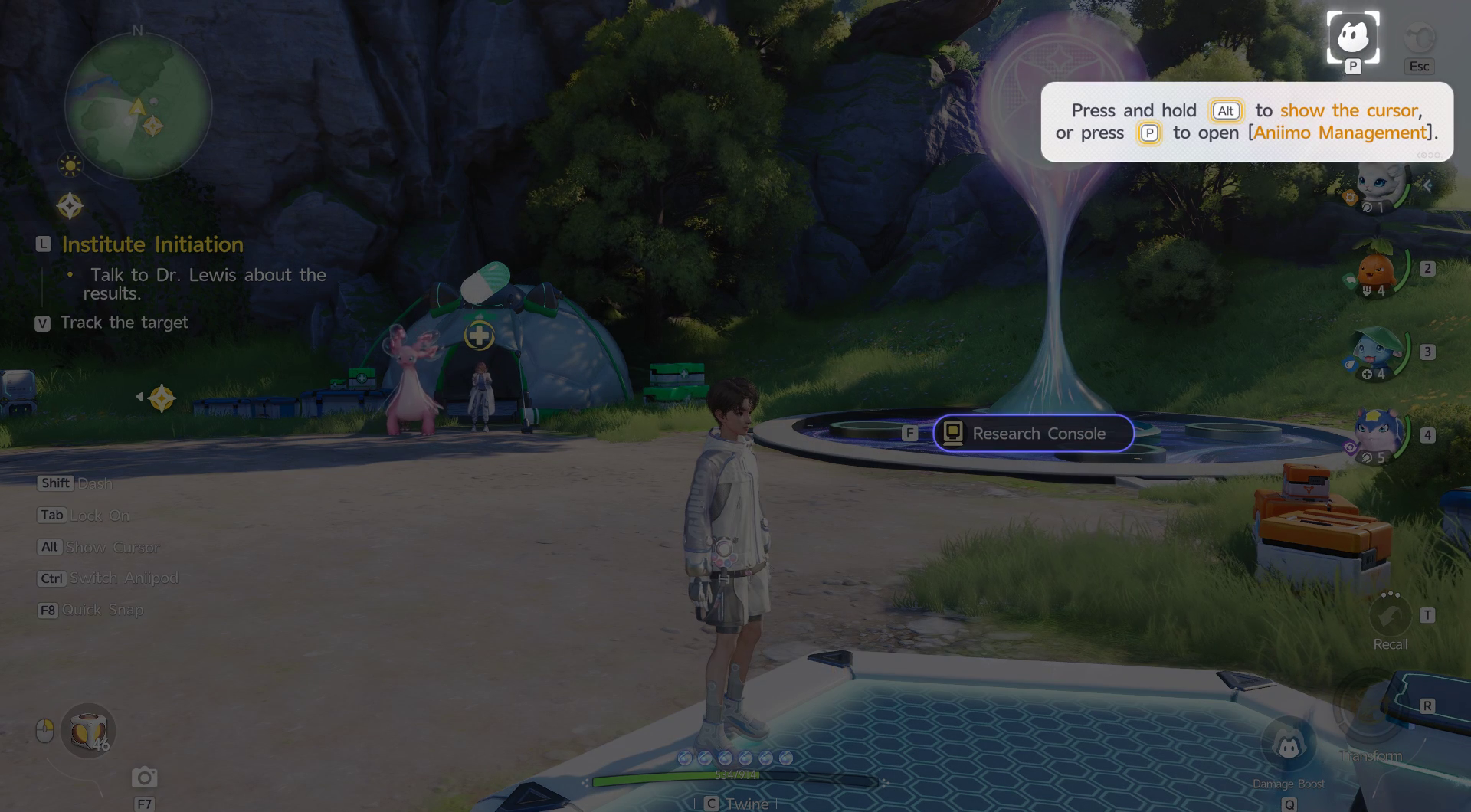
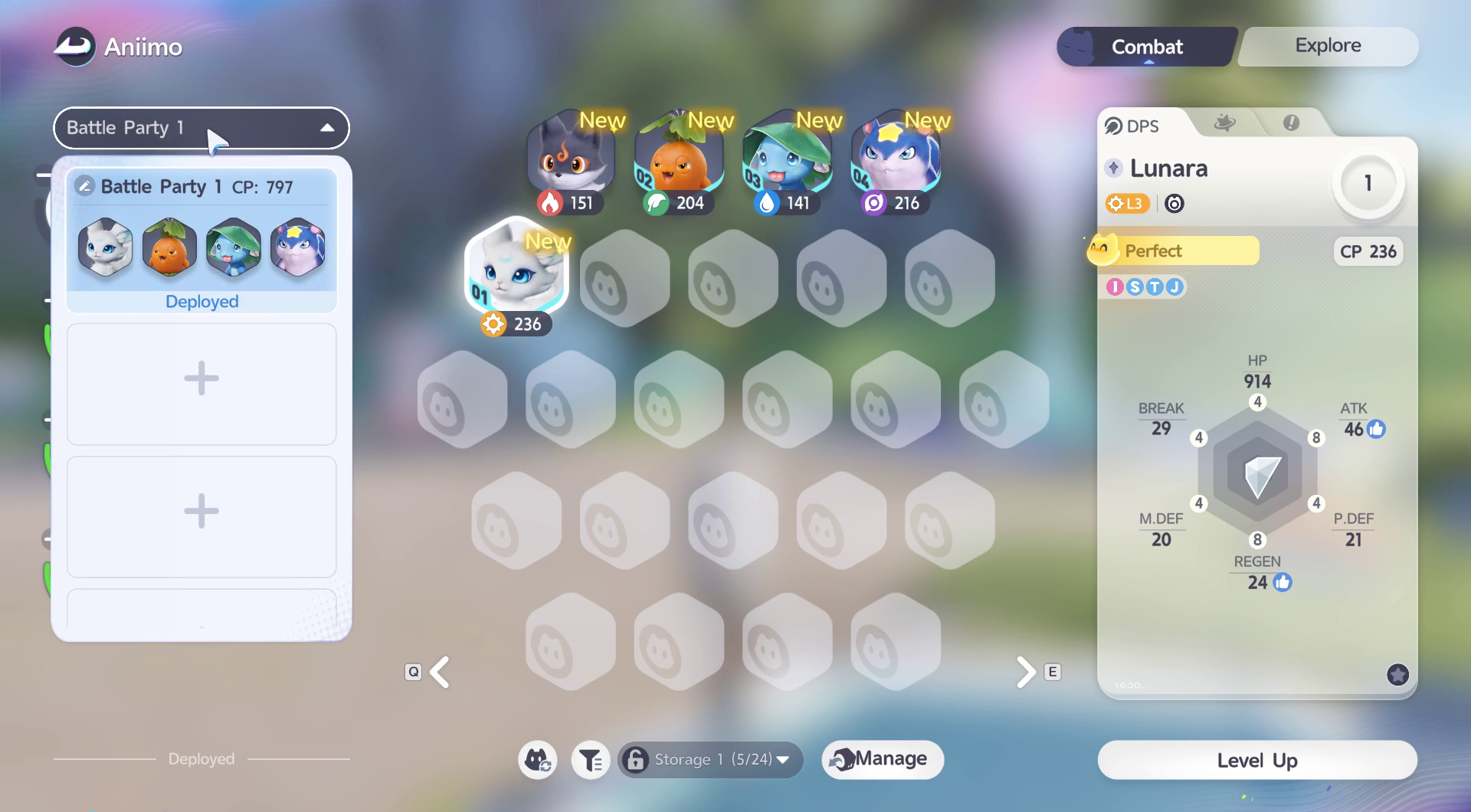
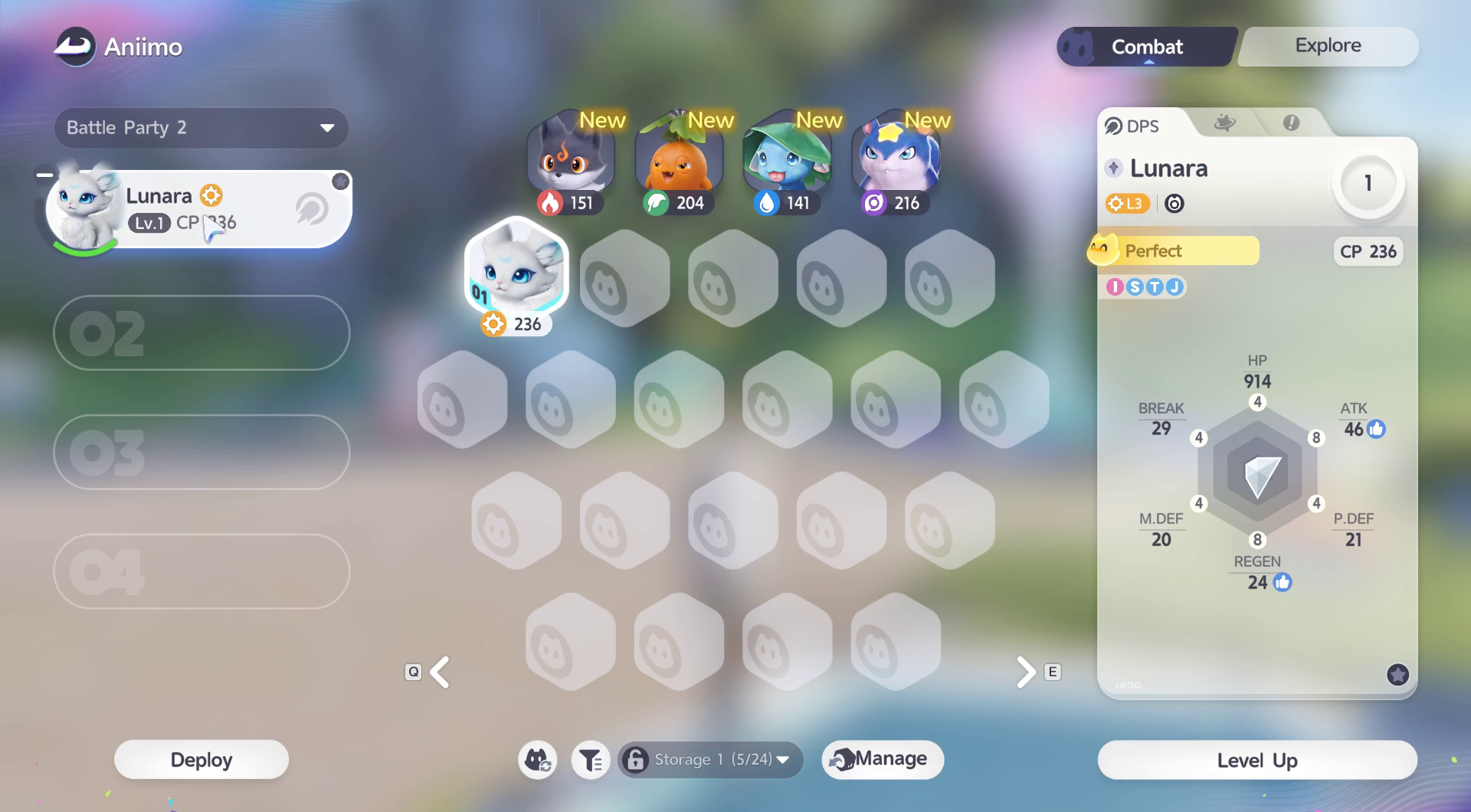
Sources: Kingy recording: save a spare Battle Party and restore the main lineup ↗
Quick reference: H, then the party number
H opens the saved-party list in gameplay. Pressing 1 directly deployed Party 1 and closed the list in our test; H followed by 2 likewise deployed Party 2. The number belongs to the saved preset. Watch the party portraits after the switch to confirm the result.
For the independence check, both presets initially contained Lunara, Hummin, Skippy and Celestis. We deployed Party 2 and manually replaced its fourth slot with Emberpup. H → 1 restored Celestis; reopening P showed Party 1 still held all four original members. The account was left with Party 1 deployed.
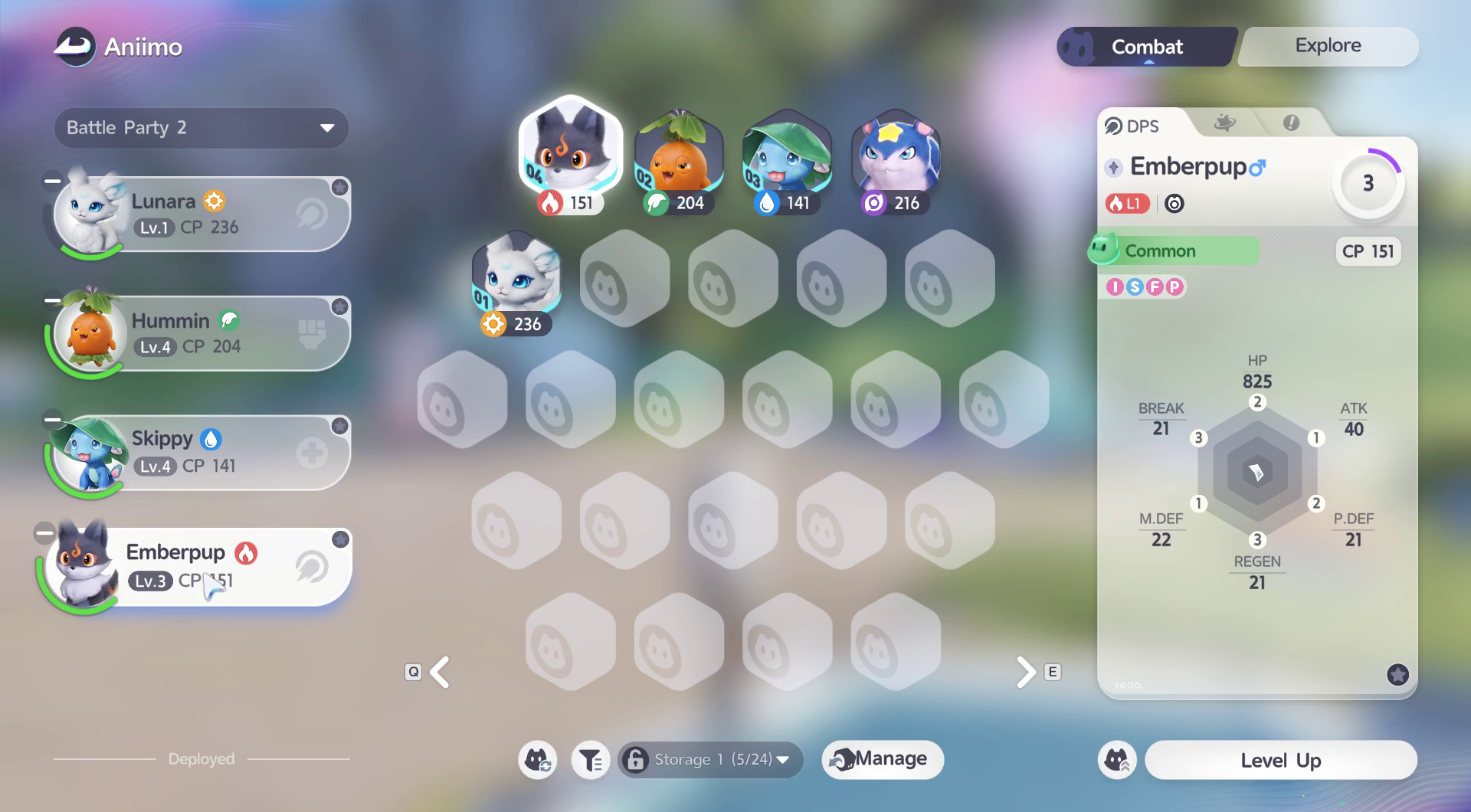
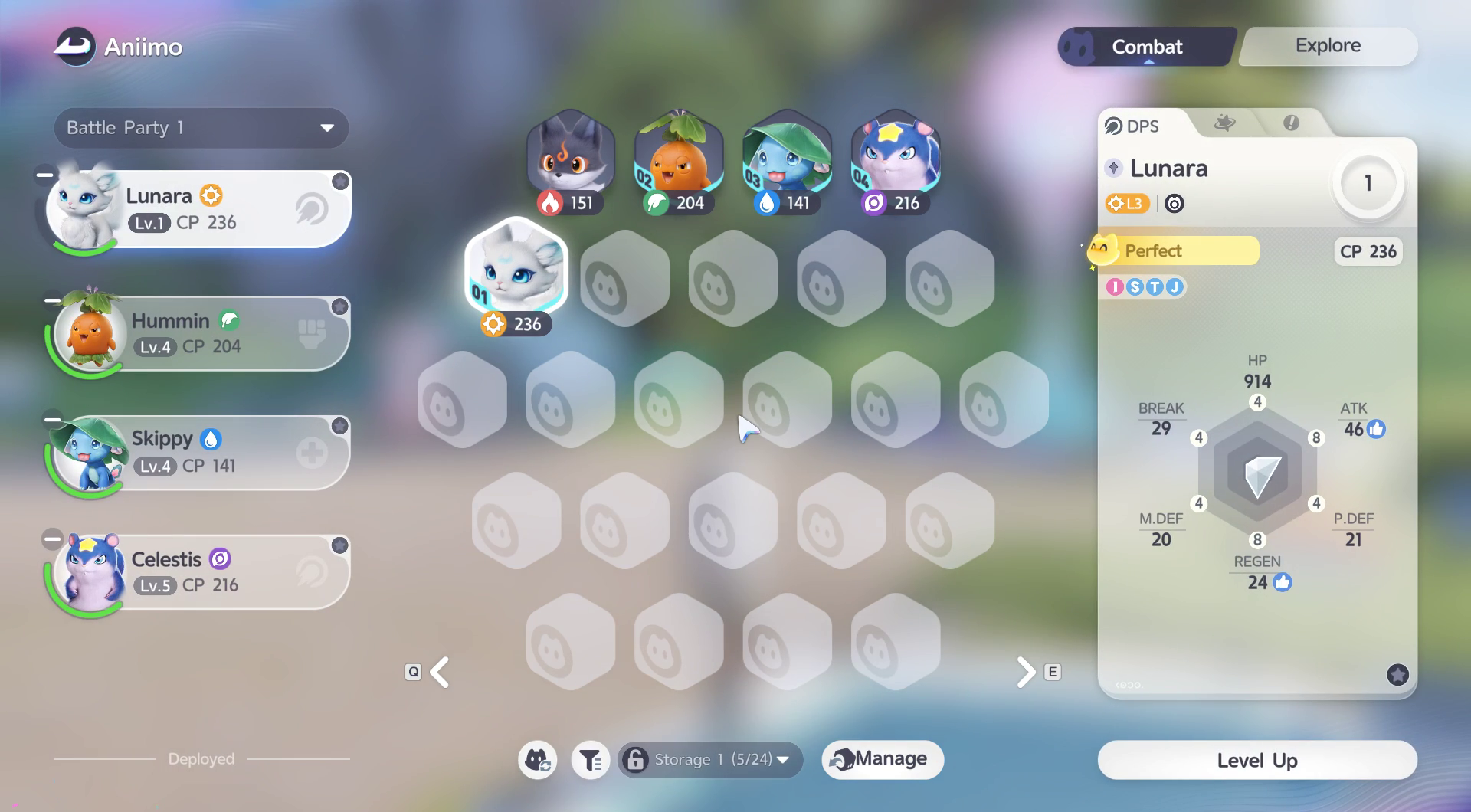
Sources: Kingy recording: save a spare Battle Party and restore the main lineup ↗
Explore assignments are a separate menu
The Explore tab in Aniimo Management displays Climb, Fly and Swim assignments. Our screen assigned Celestis to Climb and Fly, and Skippy to Swim. Those are separate from the four numbered Battle Party slots on Combat. When creating a spare party for exploration or quest changes, use the Combat tab’s Battle Party dropdown.
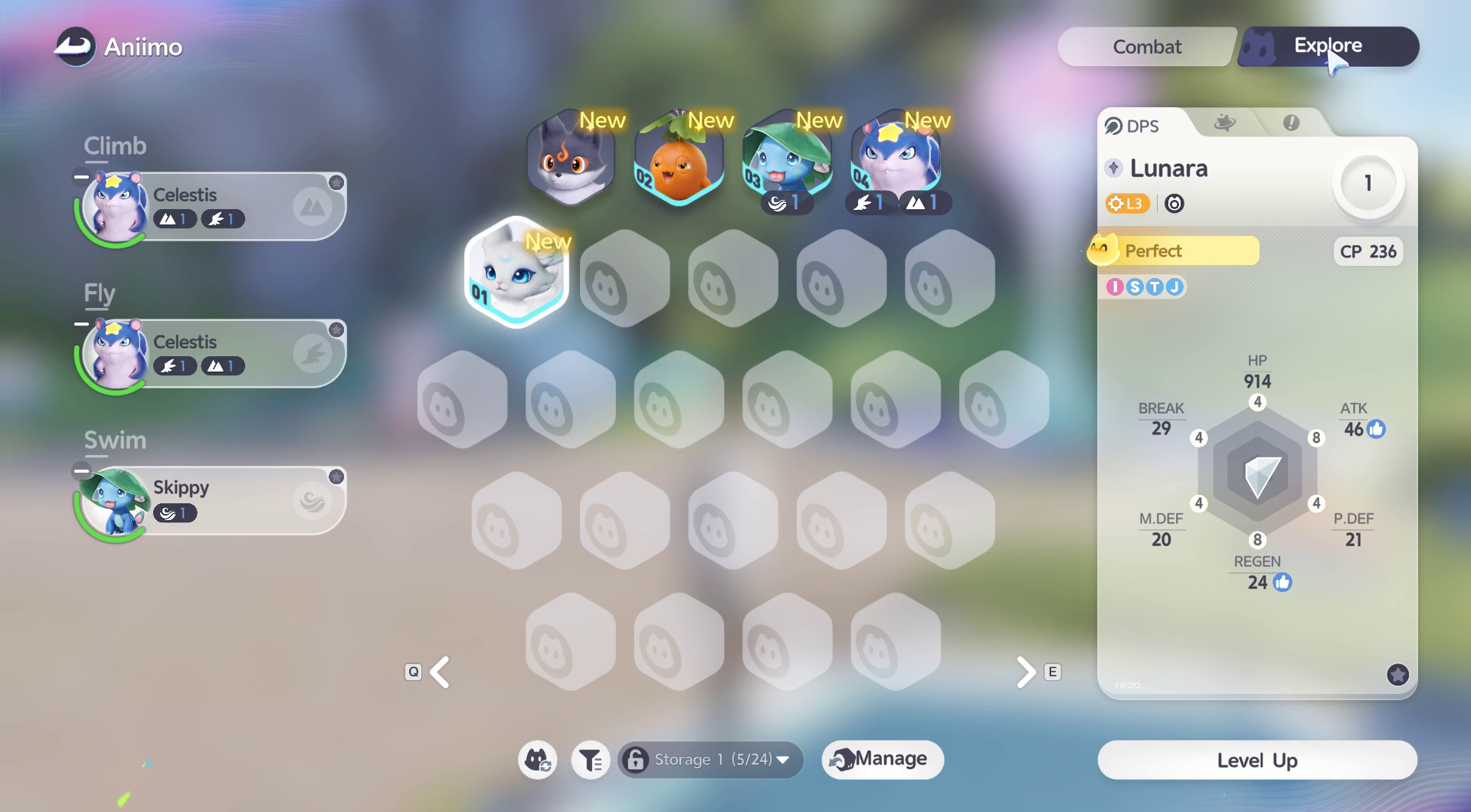
Sources: Kingy recording: save a spare Battle Party and restore the main lineup ↗
Why a spare party: the Steam quest-Twining question
Steam players report that some quest or puzzle Twining replaces their fourth party member. In the linked discussion, players ask for quick restoration and suggest switching to a spare preset before the quest interaction, then returning to the main preset afterward. That recurring, specific question prompted this guide.
Kingy verified creating presets, manual fourth-slot replacement and restoring the unchanged other party. We did not reproduce a quest-forced replacement. Treat the quest-specific proposal as community advice to check against your own quest, rather than a universally tested fix.
Sources: Aniimo Revision/QoL List — fourth-slot feedback and H shortcut comments ↗ · Kingy recording: save a spare Battle Party and restore the main lineup ↗
Current party switching versus the recorded Deploy step
The Part 2 announcement says switching Aniimo Party now takes effect immediately without clicking Deploy. The original PC walkthrough below records the earlier 1.1.3846247.0 interface, where Deploy was present. Its dated steps document that test; follow the current client’s controls and confirm the active portraits. The later behaviour has not been retested by Kingy.
Sources: Season 1: Departure with the Wind Part 2 Starts! ↗ · Kingy recording: save a spare Battle Party and restore the main lineup ↗
November 6: skill and held-item fixes
The November 6 patch reports that debuffs from Tromber’s Spiral Blade and Hexxin’s Oozing Malice and Malicious Outburst no longer vanish early, and that Dewple’s Rapids Dewdrop damage calculation was corrected. It publishes no new numbers.
If a contract with Hoptail’s Held Item did not grant its enhanced skill, the notice says to unequip and re-equip the Held Item to receive it.
Sources: Patch Notes-v1.1.3887621.0 ↗
Source set